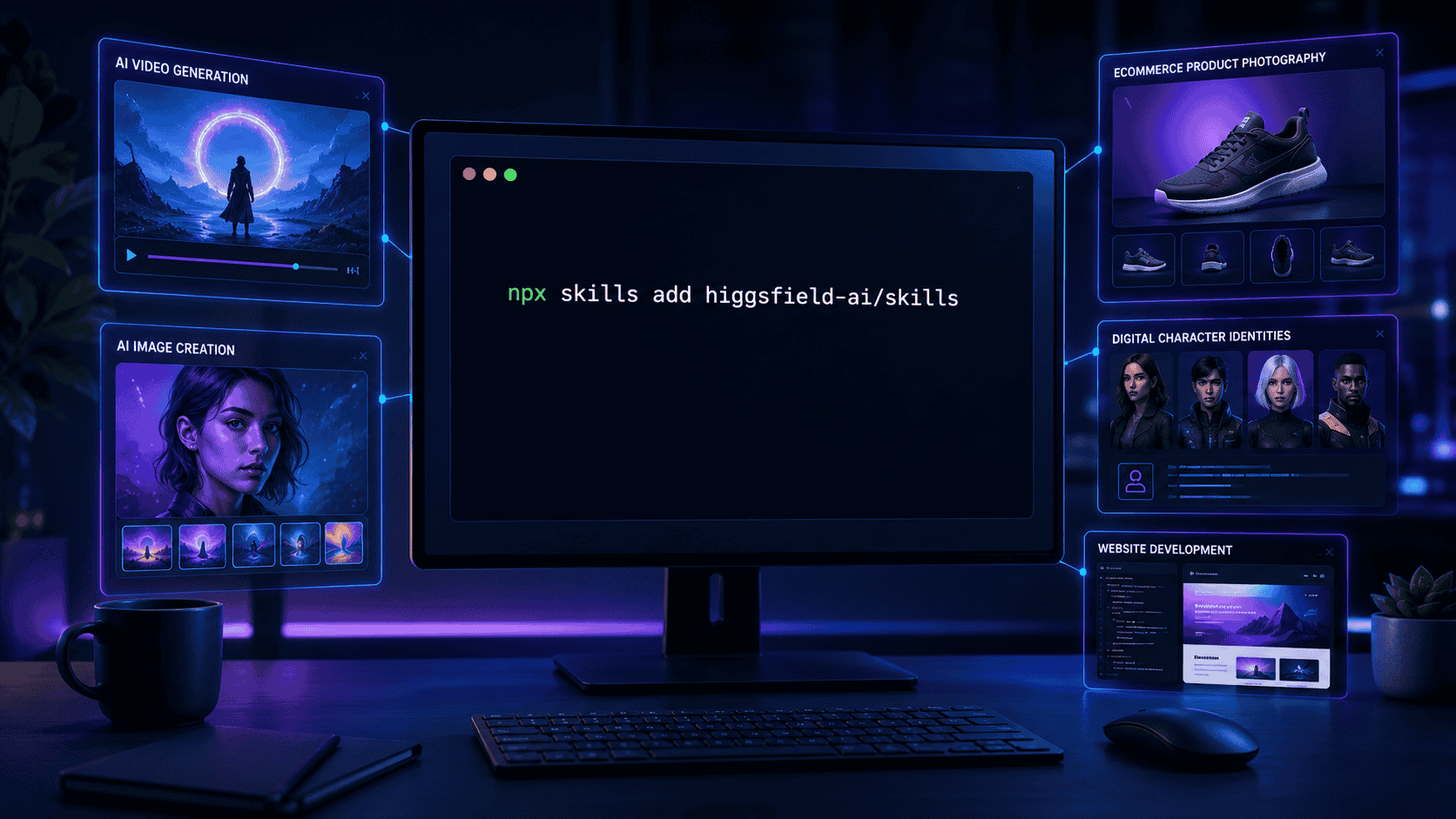
How to Install Higgsfield AI Skills with npx: Complete Guide
One terminal command can give your AI coding agent a complete Higgsfield-powered creative toolkit:
npx skills add higgsfield-ai/skills
That command installs Higgsfield’s official agent skills for AI image generation, video creation, product photography, marketplace graphics, reusable character identities, and AI-assisted website development.
Installation, however, is only the first step. You also need to understand where the skills are installed, how your AI agent discovers them, how Higgsfield authentication works, and what to do if the command completes but the skills do not appear.
This guide walks through the complete process for Codex, Claude Code, Cursor, and other compatible AI agents.
What Are Higgsfield AI Skills?
Higgsfield AI Skills are reusable instruction packages that teach supported AI agents how to work with Higgsfield’s command-line tools and creative generation services.
Instead of manually remembering every Higgsfield CLI command, model name, parameter, or workflow, you can describe the result you want. Your agent can then follow the relevant skill instructions and construct the appropriate workflow.
Agent skills are generally stored as directories containing a SKILL.md file. That file tells the agent when to use the skill, what procedure to follow, and which commands or supporting resources may be required.
The open skills CLI supports Codex, Claude Code, Cursor, OpenCode, and dozens of other agents. It can install skills at project level or globally for the current user. The installation formats, scopes, and management commands are documented in the official Vercel Labs skills repository.
What Gets Installed?
The official Higgsfield repository currently includes five skills.
1. Higgsfield Generate
The higgsfield-generate skill handles general image, video, 3D, and audio generation. It also covers Higgsfield’s Marketing Studio and Virality Predictor workflows.
Typical uses include:
Creating AI images from text prompts
Turning a starting image into a video
Producing UGC-style advertisements
Generating product showcases and unboxing videos
Creating audio from a prompt
Evaluating a video’s hook and attention potential
Producing creative assets for social media campaigns
The official repository describes support for more than 30 generation models. Model availability may change, so let the installed skill and Higgsfield CLI determine the choices currently available to your account.
2. Higgsfield Soul ID
The higgsfield-soul-id skill trains a reusable, face-faithful character identity from a collection of reference photographs.
Once training is completed, Higgsfield returns a reference ID. That ID can be used in compatible image, video, and Marketing Studio jobs to improve identity consistency.
This is particularly useful for:
Personal-brand videos
Recurring virtual presenters
Consistent campaign characters
Creator-led advertisements
Educational video series
Higgsfield’s documentation currently recommends providing between five and 20 suitable reference photographs for a Soul Character workflow.
3. Higgsfield Product Photoshoot
The higgsfield-product-photoshoot skill creates professional product imagery using mode-specific prompt enhancement.
Supported creative directions include:
Clean studio product shots
Lifestyle scenes
Close-up product demonstrations
Pinterest-style moodboard images
Website hero banners
Social media carousels
Coordinated advertising packs
Virtual model try-ons
Conceptual CGI product visuals
Restyled versions of existing images
This makes the skill especially relevant for ecommerce businesses, marketers, designers, and social media teams.
4. Higgsfield Marketplace Cards
The higgsfield-marketplace-cards skill focuses on ecommerce listing assets.
It can help produce:
Marketplace-compliant main images
Secondary listing images
Product feature graphics
A+ style content modules
Coordinated visual sets for product pages
The skill uses backend prompt enhancement before submitting image-generation jobs.
5. Higgsfield Websites
The higgsfield-websites skill supports the creation, editing, and deployment of full-stack websites.
According to the official repository, its website workflow uses React 19 and TanStack Start, with server rendering through Cloudflare infrastructure. It can also work with higgsfield-generate to create custom hero images, video backgrounds, and social-sharing assets for a website.
You can review the five skills and their latest purposes in the official Higgsfield AI Skills repository.
Before You Install
The recommended npx installation method requires Node.js.
Open a terminal and check whether Node.js and npm are available:
node --version
npm --version
npx --version
If these commands return version numbers, you can proceed. If your system says that node, npm, or npx is not recognized, install a current supported Node.js release before continuing.
The Higgsfield website skill may also require Git and Bun when you start cloning and building generated website repositories. Check Git with:
git --version
Bun is not required merely to install the five skills.
Install Higgsfield AI Skills with npx
Open your terminal inside the project where you use your AI agent, then run:
npx skills add higgsfield-ai/skills
The command retrieves the official repository, discovers its available skills, detects compatible agents, and places the selected skills in the appropriate directories.
Higgsfield identifies this as its recommended cross-agent installation method. Its official guide says the command installs all five skills and supports agents that discover Markdown-based skill files. See the official Higgsfield installation instructions.
During interactive installation, the CLI may ask you to choose:
Which detected AI agent should receive the skills
Whether to install at project or global scope
Which available skills you want to add
Whether to use symlinks or copied files
For most users, the recommended defaults are appropriate.
Project Installation or Global Installation?
Project-Level Installation
Use project installation when the skills are needed for one particular project or repository:
npx skills add higgsfield-ai/skills
Project-level skills can be shared with team members when the appropriate files and configuration are included in the repository.
Global Installation
Use the -g flag when you want the skills available across multiple projects:
npx skills add higgsfield-ai/skills -g
A global installation is convenient for creators and developers who use Higgsfield regularly across unrelated projects.
If you are testing the integration for the first time, project-level installation is the more organized starting point. You can switch to a global installation after confirming that the workflow suits your needs.
Install for a Specific AI Agent
The skills CLI supports the --agent or -a option.
For Codex:
npx skills add higgsfield-ai/skills -a codex
For Claude Code:
npx skills add higgsfield-ai/skills -a claude-code
You can also target more than one agent:
npx skills add higgsfield-ai/skills -a codex -a claude-code
If the CLI correctly detects your installed agents, you may not need to provide this option manually.
List the Skills Before Installing
If you want to inspect the available skills first, run:
npx skills add higgsfield-ai/skills --list
This is useful when you want only one or two Higgsfield capabilities instead of the complete collection. Installing all five is the simplest approach because several workflows can work together.
For example, you might train a character with Soul ID and then use that identity through the general generation skill.
Install Without Interactive Prompts
For scripts, automated environments, or users who already understand their preferred configuration, the -y option skips confirmation prompts:
npx skills add higgsfield-ai/skills -a codex -g -y
Use non-interactive installation only when you understand the selected agent and installation scope. Otherwise, interactive setup makes it easier to see exactly where the skills will be installed.
Authenticate with Higgsfield
Installing the skill files does not automatically provide unlimited access to Higgsfield’s generation services.
The Higgsfield CLI must be installed and authenticated before it can submit generation jobs. The official prerequisite commands are:
curl -fsSL https://raw.githubusercontent.com/higgsfield-ai/cli/main/install.sh | sh

higgsfield auth login
Only run remote installation scripts from repositories and organizations you trust. The command above is the prerequisite published in Higgsfield’s official installation documentation.
After authentication, confirm that the CLI responds:
higgsfield --help
Verify the Installation
First, ask the skills CLI to list installed skills:
npx skills list
For global installations, use:
npx skills list -g
Next, restart or open a new session in your AI agent. Restarting helps the agent rediscover newly installed skill directories.
Ask the agent:
Generate a minimal test image with Higgsfield.
According to Higgsfield’s official verification instructions, the agent should recognize the generation skill and use a command equivalent to:
higgsfield generate create z_image --prompt "test" --wait
If the request succeeds, the CLI should return the generated asset’s result or URL. An actual generation may use Higgsfield credits or be subject to your account’s plan and limits.
A Better First Test
Once the minimal verification succeeds, try a practical creative prompt:
Create a professional 16:9 editorial image of an AI creator working in a modern production studio. Use cinematic blue lighting, realistic computer screens, and a clean technology-publication style. Do not add text, logos, or watermarks.
This test confirms more than basic connectivity. It helps you evaluate whether the agent understands creative direction, aspect ratio, composition, and exclusions.
How to Update the Skills
Higgsfield recommends rerunning the installation command when the skills were installed through npx:
npx skills add higgsfield-ai/skills
The general skills CLI also provides an update command:
npx skills update
To update a specific installed skill, use:
npx skills update higgsfield-generate
Review the CLI output before accepting major changes, especially when the skills form part of a production workflow.
Common Installation Problems
“npx is not recognized”
Node.js or npm is missing, incorrectly installed, or unavailable in your system’s PATH.
Confirm with:
node --version
npm --version
npx --version
If these fail, reinstall Node.js and restart the terminal.
The Command Appears Stuck
The first npx run may need to download the skills CLI and resolve repository files.
Check that:
Your internet connection is active
GitHub is reachable
No proxy or firewall is blocking npm or GitHub
The terminal is waiting for an interactive selection
A confirmation prompt has not opened above the visible output
The Skills Installed, but the Agent Cannot Find Them
Close and restart the agent.
Run
npx skills list.Confirm that you selected the correct agent.
Check whether you installed at project or global scope.
Run the installation again with an explicit agent flag.
For Codex:
npx skills add higgsfield-ai/skills -a codex
For Claude Code:
npx skills add higgsfield-ai/skills -a claude-code
If the files appear in a shared .agents/skills directory but the target agent cannot see them, inspect the agent’s expected skill location and consult the latest CLI issue tracker before moving files manually.
The Higgsfield Command Is Not Found
This normally means the agent skill was installed, but the Higgsfield CLI is unavailable in the current shell. Install the CLI using Higgsfield’s official prerequisite command, restart the terminal, and run:
higgsfield --help
Authentication Fails
Run:
higgsfield auth login
Complete the login process again and verify that you are using the intended Higgsfield account. Never paste private tokens into chat messages or public terminal screenshots.
Why This Installation Matters
The real value is not the command itself. It is the workflow that becomes possible afterward.
A creator can move from an idea to a finished visual without manually translating the request into a series of technical CLI parameters. A marketer can request product photos, campaign variations, UGC concepts, and attention scoring through one agent-driven workflow. A developer can combine generated media with a website project while maintaining the context of the broader task.
The agent still needs clear instructions, human review, and sensible quality control. But the repetitive technical layer becomes easier to manage.
That is the larger shift behind agent skills: an AI agent does not merely answer questions—it can load specialized procedures and apply them to real production tasks.
Final Installation Checklist
Node.js, npm, and npx are available
npx skills add higgsfield-ai/skillscompletes successfullyThe correct agent and installation scope were selected
npx skills listshows the installed skillsThe Higgsfield CLI is installed
higgsfield auth loginhas been completedYour AI agent was restarted after installation
A minimal test generation works
You understand that generation may use account credits
Once these checks pass, your AI agent is ready to use Higgsfield’s specialized creative workflows.
One command installs the instructions. The real advantage begins when you stop managing individual commands and start directing complete creative outcomes.
Frequently Asked Questions
What command installs the official Higgsfield AI Skills?
npx skills add higgsfield-ai/skills
Does the installation work with Codex?
Yes. The official Higgsfield repository lists Codex among its supported agents.
Does it work with Claude Code and Cursor?
Yes. Higgsfield documents support for Claude Code, Cursor, Codex, and other agents that load Markdown-based skills.
Do I need Node.js?
Yes. The recommended npx skills installation method requires Node.js and npm.
Does installing the skills include free Higgsfield generations?
Installing the skill instructions does not guarantee free generation. Actual jobs depend on Higgsfield authentication, account access, credits, plans, and current service limits.
How can I update the installed skills?
Rerun the installation command or use the available npx skills update workflow.




Discussion
Comments
Approved comments are published after moderation to keep discussion useful and spam-free.
No comments yet. Start the discussion below.