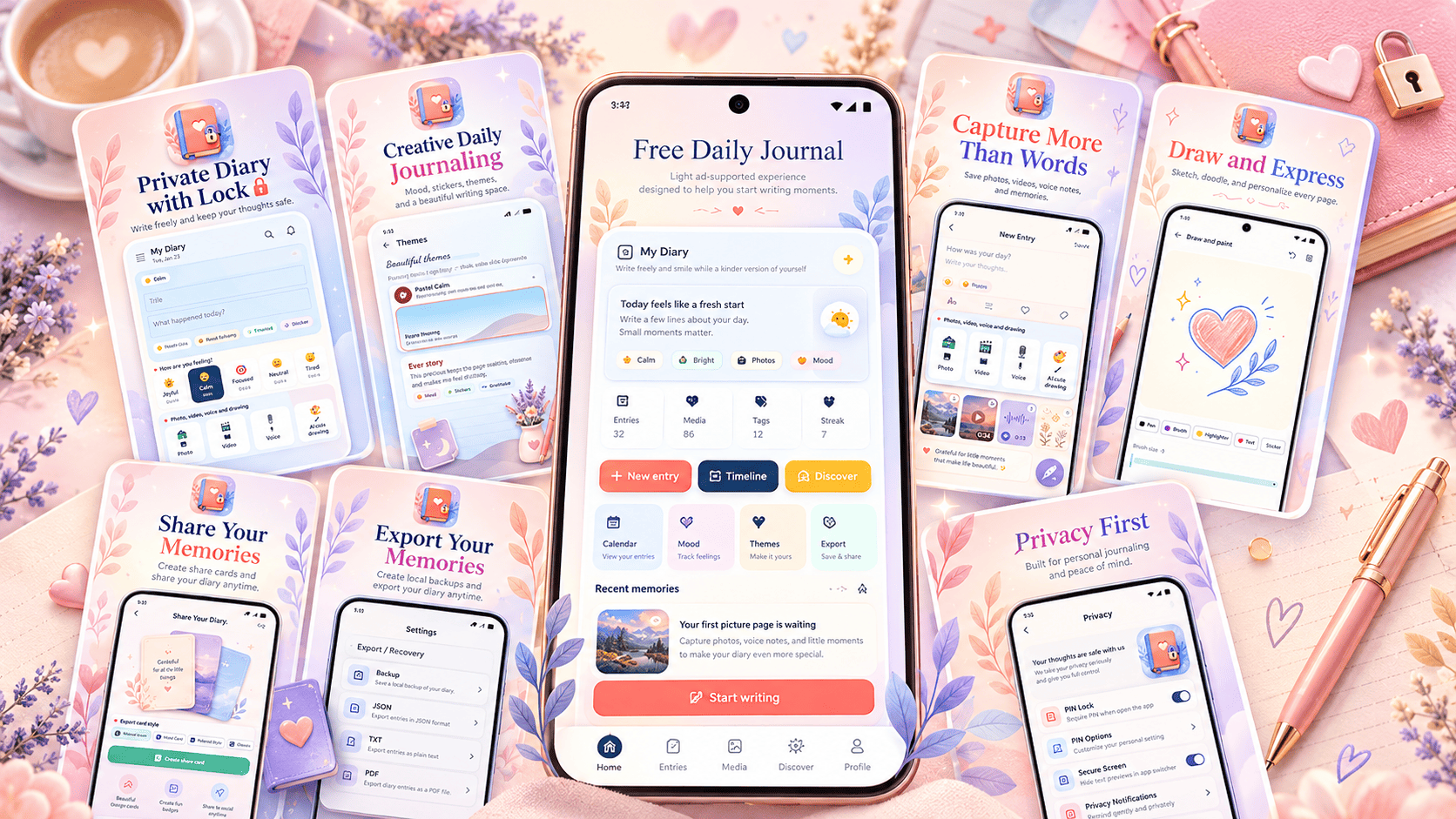
Some days deserve more than a social-media post or a note you will never read again. My Diary, developed by Urdu Pure and available free on Google Play, gives Android users one place to record daily thoughts, moods, memories, photos, videos, voice notes and drawings while adding a PIN lock and other privacy controls to help keep personal entries personal. The current version is free to use and supported by ads.
Install My Diary Free on Google Play
My Diary is available now for Android through Google Play.
Install My Diary – Journal Diary App on Google Play
There is no purchase price to begin journaling. The Play Store listing describes the current release as a free, ad-supported version.
Turn Everyday Thoughts Into a Daily Journaling Habit
A diary does not need to begin with a dramatic life event.
Sometimes the most valuable entries are ordinary.
What happened today?
What made you happy?
What frustrated you?
What are you grateful for?
What do you want to remember six months from now?
My Diary is designed around that kind of everyday writing. The app can be used for a traditional personal diary, gratitude journal, mood journal, private notes, travel memories or simply a place to collect thoughts that do not belong anywhere else.
The advantage of keeping those things together is continuity. Instead of scattering memories across a notes app, photo gallery, voice recorder and messaging conversations, a journal can give them context.
A picture becomes more meaningful when you remember why you took it.
A mood becomes more useful when you remember what happened that day.
A short sentence can become surprisingly important when you read it years later.
Make the Diary Feel Like Your Own
Journaling is personal, so the writing space should not feel like a generic form.
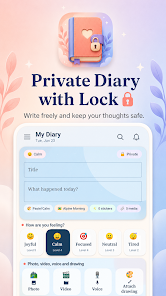
My Diary includes themes, page backgrounds, mood options and stickers that can be used to personalize entries. The Play Store listing describes the design as a soft and comfortable journaling environment intended to make everyday writing feel more inviting.
That can matter more than it sounds.
The biggest obstacle to keeping a diary is often not knowing what to write.
It is remembering to return.
A journal that feels pleasant to open can make that habit easier.
Your Diary Does Not Have to Be Only Words
Some memories are easier to capture visually.
Others are easier to say than type.
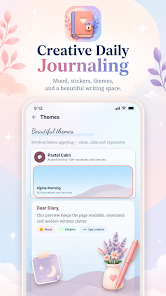
My Diary allows journal entries to include photos, videos, voice notes, drawings, stickers and moods alongside written text.
Imagine returning from a trip.
Instead of writing only:
“Great day at the beach.”
You could keep the photograph you took, add a voice note describing what happened, record how you felt and write the detail that a photograph alone would never remember.
That creates something closer to a memory record than a simple text document.
Draw When Words Are Not Enough
Not every thought has to become a paragraph.
Sometimes a sketch communicates the feeling better.
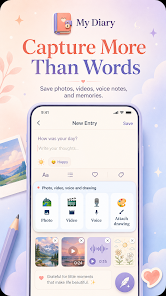
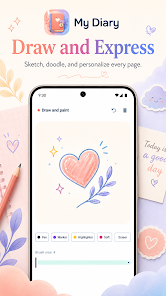
My Diary includes drawing tools so an entry can contain a doodle, handwritten-style idea or visual expression alongside ordinary text.
That can be especially useful for:
creative journaling;
travel memories;
visual planning;
quick sketches;
or simply making a diary page feel more personal.
The goal is not to create professional artwork.
It is to make the journal reflect the person creating it.
Mood Tracking Adds Context to the Story
A sentence tells you what happened.
A mood can remind you how it felt.
My Diary includes simple mood choices that can be attached to daily entries. The feature is intended for personal reflection and self-awareness rather than medical diagnosis.
Over time, those mood records can add context to your writing.
Maybe Sundays consistently feel calm.
Perhaps certain workdays feel more stressful.
Maybe travel days are exhausting but memorable.
Or perhaps nothing obvious emerges at all.
The value is having a record you can look back on rather than relying entirely on memory.
A Journal Can Also Become a Gratitude Habit
You do not need to write a full diary entry every evening.
A useful routine can be much smaller.
Write three things that went well.
Save one photograph.
Record one sentence about the day.
Choose a mood.
Write one thing you want to remember tomorrow.
A journaling habit becomes easier when the minimum requirement is small enough to keep.
Some days may produce several pages.
Other days may produce one line.
Both still count.
Keep Travel Memories Together
Travel is another natural use for a diary app.
Photos usually preserve what a place looked like.
They do not always preserve:
how the trip started;
the unexpected restaurant you found;
the person you met;
the weather;
a funny mistake;
what you learned;
or what you were thinking at that moment.
Adding text, images and voice to the same journal entry can preserve more of the experience than a camera roll alone.
Years later, the details may matter more than the photograph.
Create Secret Notes and Personal Reflections
Some thoughts are not intended for social media.
They are not meant for friends, followers or public discussion.
They may simply be things you want to write for yourself.
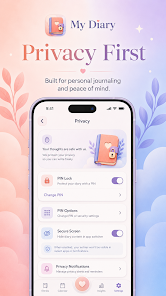
My Diary includes a PIN lock feature that helps protect diary pages on the device. It also includes privacy-screen options intended to help keep diary content out of screenshots or recent-app previews where supported.
Those features make the app useful not only for traditional diary entries but also for private reflections and personal notes.
Privacy Does Not Mean You Should Forget Device Security
A diary PIN is useful.
Your phone's own security is still important.
Use a strong device passcode or biometric protection where available.
Keep Android updated.
Do not casually share your phone unlock credentials.
And remember that any content you intentionally export or share leaves the original private journal environment.
Think of the diary lock as one layer of protection rather than the only layer.
Start in Three Simple Steps
You do not need to build a complicated journaling system.
The easiest approach is to install the app, create one entry and gradually personalize the experience.
Step 1: Install My Diary
Open the My Diary listing on Google Play.
Tap Install.
Once installation finishes, open the app and explore the diary-writing screen.
Review the available privacy and customization options before you begin adding personal entries.
Install My Diary free from Google Play
Step 2: Create Your First Entry
Start with something easy.
Write how your day went.
Choose a mood.
Add a photograph if you want one.
Attach a video or voice note when text does not capture the moment.
Make a drawing.
Add a sticker or select a page style.
You do not need to use every feature in every entry.
A journal works best when the tools serve the memory instead of turning writing into another task.
Step 3: Protect and Organize Your Diary
After you understand the basic writing experience, review the privacy options.
Enable the PIN lock if you want another barrier between your journal and anyone casually opening the app.
Explore the calendar and timeline-style views to revisit previous entries.
Then review the backup and export options so you understand how to preserve important writing.
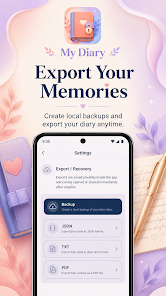
The app supports local backup and local export formats including PDF, TXT and JSON.
Your Memories Should Not Be Trapped in One Screen
A diary becomes more valuable as it grows.
That also makes portability important.
My Diary includes local export options that can create copies of journal content in:
PDF;
TXT;
and JSON.
The Play Store listing also describes local backup and recovery options. Exports are created on the device and can then be opened or shared as needed.
A PDF can be useful when you want a readable archive.
TXT is useful for simple text portability.
JSON can preserve structured information for technical or archival purposes.
The important point is that a journal should not feel disposable.
Share a Memory When You Want To
A private diary does not mean every entry must remain private forever.
Sometimes you may create something you want to share:
a travel memory;
a gratitude card;
an important reflection;
or another personal page.
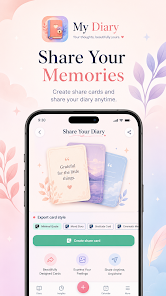
My Diary includes sharing and export tools that let you decide when a journal entry should move beyond the diary.
The important part is that sharing should be a choice.
Write privately first.
Share only what you actually want others to see.
A Calendar Makes an Ordinary Diary More Interesting Over Time
The first week of journaling may not feel remarkable.
The real value appears later.
A timeline or calendar-style journal gives individual moments a place in a larger history.
What were you thinking three months ago?
What happened on your birthday last year?
When did you begin that new job?
How did you feel before a major decision?
What did everyday life look like before something changed?
Those questions are difficult to answer from memory alone.
A diary quietly creates the evidence.
Do Not Wait for an “Interesting” Life Before Journaling
People often imagine diaries should document major events.
Graduations.
Relationships.
Travel.
Career changes.
Milestones.
Those entries are valuable.
So are completely ordinary Tuesdays.
Daily life disappears from memory surprisingly quickly.
The coffee shop you always visited.
The way your room looked.
What your children said.
What song you kept playing.
What problem seemed enormous at the time.
A useful diary captures life before you know which moments will later matter.
The App Is Free to Use
My Diary's current Google Play release is offered as a free, ad-supported app.
That means users can install it and begin journaling without paying an initial purchase price.
The developer explains that advertising supports ongoing development while the app is designed to avoid interrupting important writing moments.
For someone who wants to experiment with digital journaling before committing to a paid diary subscription, that makes the barrier to starting very low.
Install it.
Create one entry.
Then decide whether digital journaling fits your routine.
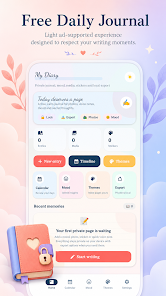
What My Diary Is Useful For
My Diary can fit several different journaling styles.
Use it as a daily diary if you enjoy recording what happened.
Use it as a gratitude journal if you want to preserve positive moments.
Use moods when you want additional emotional context.
Use photos and video for memory keeping.
Use voice notes when typing feels inconvenient.
Use drawing tools when an idea is easier to sketch.
Use the PIN lock when entries are personal.
And use local exports when the writing becomes important enough that you want another copy.
You do not have to decide what type of journal you are before installing it.
The journal can evolve with you.
A Note About Data and Privacy
Privacy claims deserve precision.
The current Google Play Data Safety section says the developer reports no data collected. The same listing says the app may share certain categories—including app activity, app information and performance, and device or other IDs—with third parties, and states that data is encrypted in transit. Google notes that these declarations are provided by the developer and can change over time.
Users should always review the latest Data Safety information and privacy policy on Google Play before installing any app if those details matter to them.
Make Journaling Small Enough to Continue
The best diary is not necessarily the one with the longest entries.
It is the one you actually return to.
Try this:
one mood;
one photograph;
one thought;
one thing you learned;
one thing worth remembering.
That can take less than two minutes.
If something important happened, write more.
If the day was ordinary, keep it short.
Consistency gives a diary its meaning.
Your Future Self Is the Real Reader
Most social platforms encourage you to write for other people.
A diary reverses that idea.
The audience can simply be you.
You do not have to make the day look exciting.
You do not need likes.
You do not need to explain yourself to strangers.
You are building a private record of what life looked and felt like while you were actually living it.
That is where My Diary is most useful.
It combines ordinary writing with moods, photos, video, voice notes, drawings and customization so that the journal can capture more than a paragraph alone.
And because the current Android version is free to use, there is very little reason not to try one entry and see whether the habit works for you.
Start Your Diary Today
My Diary is available now on Google Play from Urdu Pure.
It is free to install and use, with advertising supporting the current release.
Install My Diary – Journal Diary App free on Google Play
Do not worry about writing your life story on the first day.
Write today.
Tomorrow can become the next page.
My Diary app, free diary app, journal app for Android, private diary with lock, diary app free, daily journal app, mood journal app, personal diary app, secret diary Android, diary with photos, diary with voice notes, gratitude journal app, journal with PIN lock, digital diary, memory journal app
The New Luxury Is Being Unreachable
Why Your iPhone Battery Is Draining Faster After an Update
Your Internet Is Fast. So Why Is the Wi-Fi Terrible in One Room?
Free VPNs Are Booming Again. What Are You Really Paying With?
Lifestyle
Computers & Technology
My Diary Free Journal App for Android
My Diary: A Free Journal App for Thoughts, Moods and Memories
Write private diary entries, track moods, add photos, videos, voice notes and drawings, and export your memories with the free My Diary Android app.
Your Thoughts Deserve Somewhere More Private Than Social Media
Not every thought needs to become a post.
My Diary gives Android users a free place to write daily thoughts, save memories, track moods and add photos, video, voice notes or drawings.
You can protect diary pages with a PIN, personalize entries and export memories locally when you want another copy.
It is free to install from Google Play.
Sometimes the best audience for what happened today is simply your future self.
Reader Question
If you started a private diary today, what is the first thing from this week you would want to remember a year from now?
Research Notes
The official Google Play listing describes My Diary as a free daily journal and private diary application developed by Urdu Pure. The current release contains ads and is rated Everyone.
The listing says users can create written entries and attach photos, videos, voice notes, drawings, stickers and moods. It also includes themes, backgrounds, calendar/timeline-style journaling and personal-reflection tools.
Privacy-related features listed by the developer include PIN locking and privacy-screen options intended to help keep diary content hidden from screenshots or recent-app previews where supported.
The app supports local export to PDF, TXT and JSON as well as local backup and recovery options.
Google Play's current Data Safety section says the developer reports no data collected, while identifying app activity, app information and performance, and device or other IDs as categories that may be shared with third parties. The listing states that data is encrypted in transit. These declarations are developer-provided and can change.
Disclosure
My Diary is developed by Urdu Pure. This article describes the features currently presented on the app's official Google Play listing. Features, interface elements and availability may change as the app is updated.
Official App Link
My Diary – Journal Diary App on Google Play
free diary app, private diary app, journal app for Android, diary with lock, daily journal app, mood journal app, personal diary, gratitude journal, secret diary app, diary with photos, diary with voice notes
My Diary, Journal App, Diary App, Android Apps, Journaling, Mood Tracking, Personal Journal, Gratitude Journal, Productivity, Lifestyle