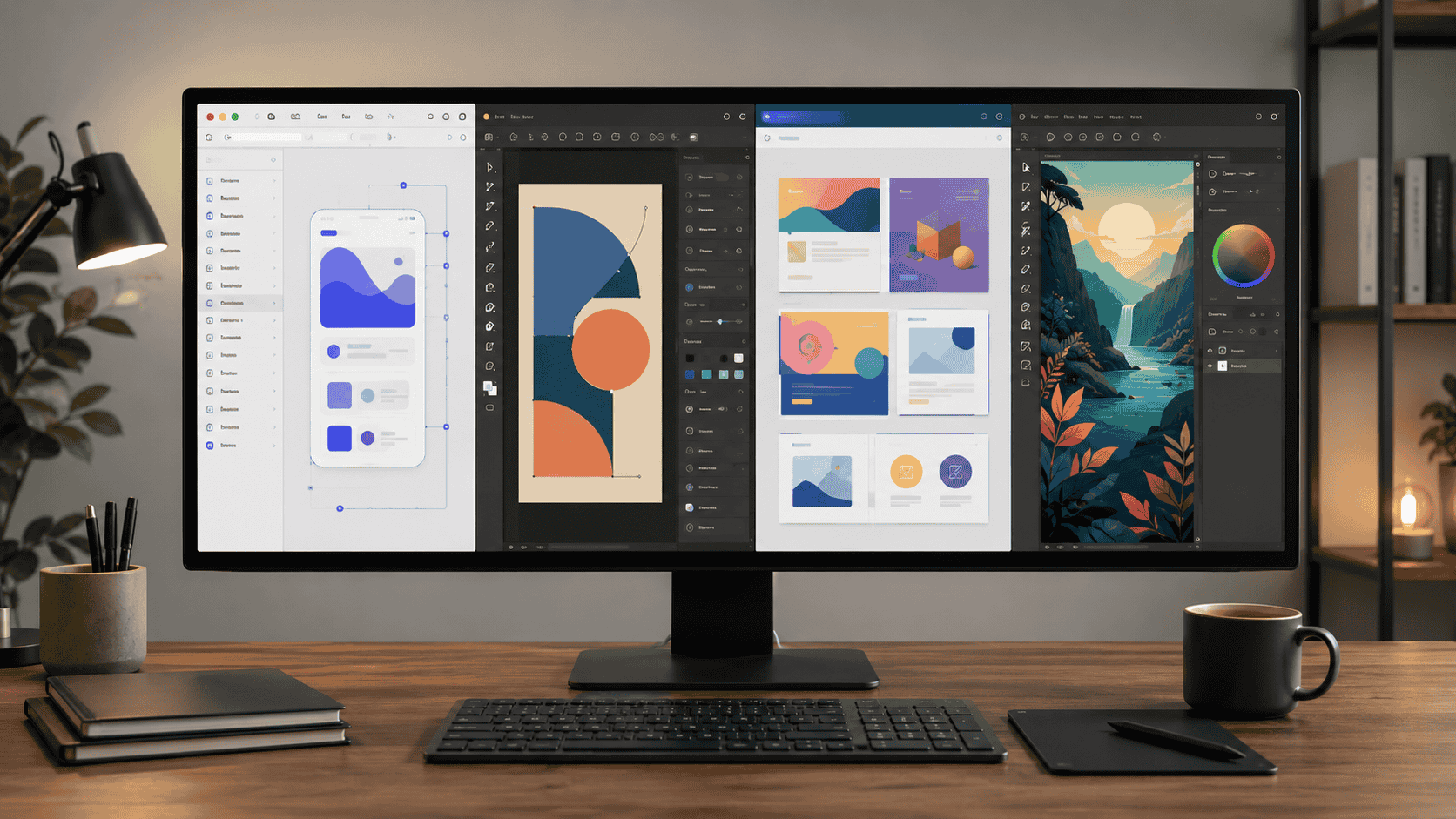
Why Designers Are Looking for Figma Alternatives in 2026
Figma is still one of the strongest UI design platforms in the world.
That needs to be said clearly at the beginning.
Designers are not looking for Figma alternatives because Figma suddenly became a bad product. They are looking because pricing, seat types, AI credits, team billing and workflow changes have made many users reconsider whether Figma is still the best value for their actual use case.
Figma’s official Professional plan currently lists a Full seat at $16/month when billed annually. Other seat types, including Dev and Collab seats, are cheaper, but the seat system can feel confusing for small teams that simply want to design, share and hand off work without constantly thinking about billing categories.
For large teams, Figma can still be worth it.
For freelancers, students, small studios, early-stage startups and non-designers, the question is different:
Do you really need Figma, or do you just need one part of what Figma does?
That is the key to this guide.
No single tool replaces Figma perfectly for everyone. But several tools can replace the specific part of Figma you actually use.
Quick Answer: Best Free Design Tools by Need
If you want the fastest recommendation, use this:
- Best free Figma alternative for UI/UX teams: Penpot
- Best free desktop design app: Lunacy
- Best tool for non-designers and marketing teams: Canva
- Best free professional vector and layout tool: Affinity
- Best Mac-first professional UI tool: Sketch
- Best AI wireframing tool for product managers: Visily
- Best zero-cost design stack: Penpot + Affinity + Canva
The right choice depends on what you are trying to design.
Why One Tool Cannot Replace Figma for Everyone
Most “Figma alternative” lists make one big mistake.
They pretend all design work is the same.
It is not.
A product designer building a SaaS dashboard needs component libraries, prototyping and developer handoff.
A social media manager needs quick templates and brand-safe content.
An illustrator needs vector control, export options and precision.
A startup founder needs wireframes fast.
A freelance designer may need offline work, native desktop performance and client-friendly exports.
These are different jobs.
That is why the best Figma alternative depends on your workflow, not just the feature list.
The Four Main Reasons Designers Leave Figma
1. Price
Figma is powerful, but the cost can add up quickly when teams need multiple Full seats.
If price is your main concern, look at Penpot, Lunacy, Affinity and Canva’s free tier.
2. Vendor Lock-In
Some teams do not like keeping their design system inside a proprietary cloud platform.
If vendor lock-in is your concern, look at Penpot, especially because it is open-source and self-hostable.
3. Offline Work
Figma is browser-first. That works well for collaboration, but not everyone wants to depend on the cloud.
If offline work matters, look at Lunacy, Sketch or Affinity.
4. Figma Is Too Much for Your Needs
Many people use Figma for tasks that do not require Figma.
If you mainly create social posts, YouTube thumbnails, presentations, posters or simple branded content, Canva may be enough.
1. Penpot: The Best Free Figma Alternative for UI/UX Teams
Best for: UI/UX designers, product teams, open-source teams and studios avoiding vendor lock-in
Price: Free cloud Professional plan available; open-source self-hosting options; paid plans available for advanced organizational needs
Platforms: Browser-based and self-hostable
Best Use Case: UI design, prototyping, design systems and developer handoff
Penpot is the strongest free Figma alternative for professional UI/UX work.
It is open-source, browser-based and built for collaboration between designers and developers. It also offers a self-hosting option, which makes it especially interesting for teams that care about data ownership, privacy or long-term control.
Why Penpot Stands Out
Penpot is not just “free because it has fewer features.” It has a serious product vision.
It focuses on open design, design-to-code workflows and collaboration. Penpot’s official positioning emphasizes design, code and AI workflows, with scalable collaboration for digital product teams.
The biggest advantage is freedom.
You can use Penpot in the cloud, or you can self-host it. That matters for teams that do not want all design files locked inside a proprietary vendor’s platform.
Penpot Strengths
- Free to start
- Open-source
- Self-hostable
- Browser-based
- Good for UI/UX design
- Good for design systems
- Strong designer-developer alignment
- No classic Figma-style vendor lock-in
- Useful for teams that care about ownership
Penpot Limitations
Penpot is powerful, but it is not identical to Figma.
You may notice:
- Smaller plugin ecosystem
- Fewer templates than Figma
- Smaller community
- Migration work if importing complex Figma files
- Some advanced prototyping gaps compared with Figma
If your team depends on many Figma plugins, advanced component workflows or client collaboration inside Figma files, switching will require planning.
Penpot Verdict
Penpot is the best starting point if you want a serious free Figma alternative for UI/UX design.
It is especially strong for small teams, open-source projects, privacy-conscious companies and designers who want to escape subscription pressure.
2. Lunacy: The Best Free Desktop Design App
Best for: Freelancers, solo designers, Windows users, Linux users and offline workflows
Price: Free for personal and commercial use, with optional paid plans
Platforms: Windows, macOS and Linux
Best Use Case: UI design, vector editing, offline work and desktop-first design
Lunacy is a free graphic design app from Icons8. It runs as a native desktop app for Windows, macOS and Linux.
That alone makes it important.
Many designers want a real desktop design tool that does not depend entirely on the browser. Lunacy fills that gap.
Why Lunacy Is Useful
Lunacy is fast, lightweight and practical. It includes design tools, UI kits, photos, icons and illustrations.
It is especially useful for freelancers and solo designers who want to work offline or avoid browser-based design tools.
Official Lunacy documentation says the app is completely free for personal and commercial use, with optional paid subscriptions for extra features and expanded design resources.
Lunacy Strengths
- Free for personal and commercial use
- Native desktop app
- Works on Windows, macOS and Linux
- Good offline workflow
- Built-in icons, photos and illustrations
- Useful for solo designers
- More practical than browser-only tools in low-connectivity situations
Lunacy Limitations
Lunacy is not as strong as Figma for real-time multiplayer collaboration.
It also has a smaller plugin and community ecosystem.
If you work in a large team where everyone comments, edits and hands off work in the same shared workspace, Figma may still feel smoother.
Lunacy Verdict
Lunacy is the best free desktop design app for designers who want offline-capable, cross-platform design software.
It is especially valuable for Windows and Linux users.
3. Canva: Best for Non-Designers, Marketing Teams and Fast Content
Best for: Social media managers, marketers, small businesses, teachers, bloggers and non-designers
Price: Free tier available; paid plans available
Platforms: Browser, iOS and Android
Best Use Case: Social posts, thumbnails, presentations, posters, marketing graphics and quick branded content
Canva is not a true Figma replacement for UI/UX designers.
But it is the right replacement for many people who are using Figma for the wrong work.
If you are creating Instagram posts, Pinterest graphics, blog thumbnails, YouTube covers, simple presentations, flyers or branded social content, Canva is usually faster and easier than Figma.
Why Canva Works
Canva’s strength is speed.
It gives users templates, stock assets, brand kits, resize tools, AI features and simple editing controls. Non-designers can create polished visuals without learning product design software.
That is why Canva is so popular with marketing teams and small businesses.
Canva Strengths
- Easy for beginners
- Strong template library
- Fast content creation
- Good for social media
- Good for presentations
- Useful brand kit features in paid plans
- Works well for teams without professional designers
Canva Limitations
Canva is not built for serious UI/UX design.
It does not replace:
- Component systems
- Interactive product prototypes
- Advanced developer handoff
- Complex interface design
- Design system management
If you are designing an app, dashboard or product interface, use Penpot, Figma, Sketch or Lunacy instead.
Canva Verdict
Canva is the best choice if your “design work” is actually content creation and marketing design.
Do not use Canva as a product design tool. Use it as a fast publishing tool.
4. Affinity: Best Free Professional Creative Suite
Best for: Graphic designers, illustrators, brand designers, print designers and visual creators
Price: Free access available for eligible Canva-linked users; individual access routes vary by account and region
Platforms: Desktop creative software
Best Use Case: Vector design, photo editing, layout, branding, illustration and print work
Affinity has become one of the biggest design software stories because Canva has expanded free access routes for Affinity through Canva account eligibility.
Affinity is positioned as professional creative software with design, photo editing and page layout tools in one app.
For designers tired of subscription software, this is a major shift.
Why Affinity Matters
Affinity is not a direct Figma alternative for UI/UX teams.
It is closer to an Adobe Illustrator, Photoshop and InDesign alternative, depending on the workflow.
That makes it powerful for:
- Logos
- Icons
- Posters
- Brand assets
- Illustrations
- Photo editing
- Print layouts
- Social graphics
- Marketing assets
Affinity Strengths
- Free access available through eligible Canva routes
- Professional creative tools
- Vector, photo and layout workflows
- Strong for branding and illustration
- Useful for print design
- Good alternative to Adobe-style subscription tools
- Works well alongside Penpot or Lunacy
Affinity Limitations
Affinity is not a collaborative UI/UX prototyping tool.
It does not replace Figma’s core product design workflow, especially for teams that need real-time collaboration, component libraries and developer handoff.
Affinity Verdict
Affinity belongs in almost every designer’s toolkit.
Use Penpot or Lunacy for UI/UX. Use Affinity for vector work, branding, illustration, image editing and layout.
5. Sketch: Best for Mac Designers Who Want a Native UI Tool
Best for: Mac-based UI designers and studios
Price: Paid, with trial and licensing options
Platforms: macOS
Best Use Case: UI design, app design, native Mac design workflow
Sketch is not free in the same way Penpot, Lunacy or Canva are.
But it remains important because it is one of the original professional UI design tools and still has a loyal Mac design community.
For Mac-only teams, Sketch can be a strong alternative to Figma because it offers native performance, local file workflows and mature design tools.
Sketch Strengths
- Native macOS app
- Strong UI design history
- Good performance on Mac
- Local-first file workflow
- Mature design ecosystem
- Useful for Mac-based design teams
Sketch Limitations
Sketch is Mac-only.
That is the biggest issue.
If your team includes Windows or Linux users, Sketch is not practical as a shared team standard.
It also does not have Figma’s same level of browser-based real-time collaboration.
Sketch Verdict
Sketch is still worth considering for Mac-first designers and studios.
But if you need free and cross-platform, Penpot or Lunacy will make more sense.
6. Visily: Best AI Wireframing Tool for Product Managers
Best for: Product managers, startup founders, business owners and non-designers
Price: Free tier available; paid plans available
Platforms: Browser-based
Best Use Case: Wireframes, quick prototypes, product ideas and early interface concepts
Visily is useful for people who need to create interface ideas quickly but are not professional designers.
Its AI-assisted design features help turn rough ideas into wireframes and mockups faster than building everything manually.
Why Visily Works
A product manager may not need a polished production-ready UI file.
They may need a clean wireframe to explain an idea to a founder, developer or designer.
That is where Visily helps.
It lowers the barrier between idea and visual prototype.
Visily Strengths
- Beginner-friendly
- AI-assisted wireframing
- Good for product ideas
- Useful for non-designers
- Faster than learning a full UI tool
- Helpful for early-stage planning
Visily Limitations
Visily is not a replacement for a professional design workflow.
Use it to communicate ideas. Do not treat it as the final design tool for a product launch.
Visily Verdict
Visily is best for product managers and founders who need quick wireframes before handing work to a designer.
Best Free Design Tool by User Type
For Professional UI/UX Designers
Choose Penpot.
It is the closest serious free alternative to Figma for interface design, prototyping and team workflows.
For Freelancers
Choose Lunacy if you want a free desktop tool.
Choose Penpot if you need browser collaboration.
Choose Affinity if your work includes branding, icons and illustration.
For Students
Start with Penpot, Lunacy, Canva and Affinity.
This gives you a complete free toolkit for UI design, graphic design, social content and portfolio work.
For Marketing Teams
Choose Canva.
It is faster for social posts, presentations, simple ads and brand content.
For Startup Founders
Use Visily for wireframes, Canva for pitch visuals and Penpot for more serious product UI.
For Designers Avoiding Subscriptions
Use Penpot + Affinity + Canva.
This combination covers a huge amount of modern design work at little to no cost.
The Best Zero-Cost Design Stack in 2026
For many independent creators and small teams, the best free design stack is:
- Penpot for UI/UX design
- Affinity for vector, photo and layout work
- Canva for fast marketing content
- Lunacy for offline desktop design
This stack can replace most day-to-day paid design workflows for freelancers, students, bloggers, startup founders and small studios.
It will not perfectly replace Figma for every enterprise product team.
But it is more than enough for many real-world creators.
Should You Still Use Figma?
Yes, in some cases.
Figma is still worth using if:
- Your clients work directly in Figma
- Your team already uses Figma heavily
- Your design system is built inside Figma
- You depend on Figma plugins
- Your developers use Figma Dev Mode
- Your workflow requires polished real-time collaboration
- The subscription cost is smaller than the switching cost
Do not leave Figma just because alternatives exist.
Leave Figma if the alternatives solve your actual problem better.
When You Should Switch Away From Figma
You should consider switching if:
- You are a solo designer paying for features you barely use
- You are a student trying to avoid subscriptions
- Your team wants open-source tools
- You need self-hosting
- You need offline desktop work
- You mainly create marketing graphics, not UI systems
- You want a free vector or branding tool
- Your Figma bill is increasing faster than your design needs
Switching tools has a learning cost, but that cost may be worth it if your current subscription no longer matches your workflow.
Migration Tips: How to Leave Figma Without Chaos
If you decide to move away from Figma, do not migrate everything in one weekend.
Use a phased approach.
Step 1: Identify What You Actually Use
List your real Figma use cases:
- UI design
- Prototyping
- Client comments
- Developer handoff
- Social graphics
- Presentations
- Wireframes
- Design systems
- Icons
- Illustrations
Then match each use case to the right tool.
Step 2: Test One Live Project
Do not start with your biggest client file.
Choose a small active project and rebuild it in Penpot, Lunacy or another tool.
This reveals the real migration cost.
Step 3: Export Important Assets
Export:
- Logos
- Icons
- Components
- Design tokens
- Color styles
- Typography styles
- SVG assets
- Brand templates
Do this before canceling any paid plan.
Step 4: Train Your Team
Give your team one or two weeks to learn the new tool.
Switching is not only technical. It is also muscle memory.
Step 5: Keep Figma Temporarily
Keep Figma active for a short transition period if clients or old files still depend on it.
Cancel only when you are sure the migration is stable.
Final Recommendation
The best free design tool in 2026 depends on what kind of design work you do.
If you want a serious free Figma alternative for UI/UX design, choose Penpot.
If you want a free desktop design app that works offline, choose Lunacy.
If you create marketing content, choose Canva.
If you need professional vector, photo and layout tools without paying for Adobe-style subscriptions, choose Affinity.
If you are a Mac-first product designer and do not mind paying, consider Sketch.
If you are a product manager or founder who needs quick wireframes, use Visily.
The biggest lesson is simple:
Do not search for one perfect Figma replacement.
Search for the tool that replaces the part of Figma you actually use.
For many designers, the best answer is not one tool. It is a free stack: Penpot + Affinity + Canva, with Lunacy added when offline desktop work matters.
That combination gives most creators enough power to design professionally in 2026 without being locked into a single expensive subscription.
FAQ
What is the best free Figma alternative in 2026?
Penpot is the best free Figma alternative for professional UI/UX design because it is open-source, browser-based, collaborative and self-hostable.
Is Penpot better than Figma?
Penpot is better if you want open-source software, self-hosting and lower cost. Figma is still stronger for ecosystem, plugins, client familiarity and mature collaboration workflows.
Is Lunacy really free?
Yes. Lunacy says it is completely free for personal and commercial use, with optional paid plans for extra features and expanded resources.
Is Affinity free now?
Free Affinity access is available through eligible Canva-linked routes. Availability and account requirements may vary, so check Canva’s current Affinity access page before publishing price-sensitive claims.
Is Canva a good Figma alternative?
Canva is not a proper Figma replacement for UI/UX design. It is a better choice for marketing content, social media graphics, presentations and non-designer workflows.
What is the best design tool for beginners?
Canva is best for complete non-designers. Penpot is better for beginners who want to learn UI/UX design. Affinity is best for beginners who want professional graphic design and illustration tools.
Should freelancers switch from Figma?
Freelancers should switch only if the subscription cost is not justified by client needs. If clients expect Figma files, staying on Figma may be easier. If clients only need final designs or prototypes, Penpot or Lunacy may work well.
What is the best zero-cost design workflow?
A strong zero-cost workflow is Penpot for UI/UX, Affinity for professional graphics, Canva for social content and Lunacy for offline desktop design.
Tags
Figma alternatives, free design tools, Penpot, Lunacy, Canva, Affinity, Sketch, Visily, UI design, UX design, graphic design, design software, open-source design tools, designer tools 2026
Sources
Figma official pricing page
Figma official seat management documentation
Penpot official website and pricing information
Penpot self-hosting documentation
Lunacy official plans and pricing documentation
Canva Affinity access documentation
Canva newsroom announcement about Affinity
Sketch official product information
Visily official product information
UrduPure editorial comparison notes



Discussion
Comments
Approved comments are published after moderation to keep discussion useful and spam-free.
No comments yet. Start the discussion below.