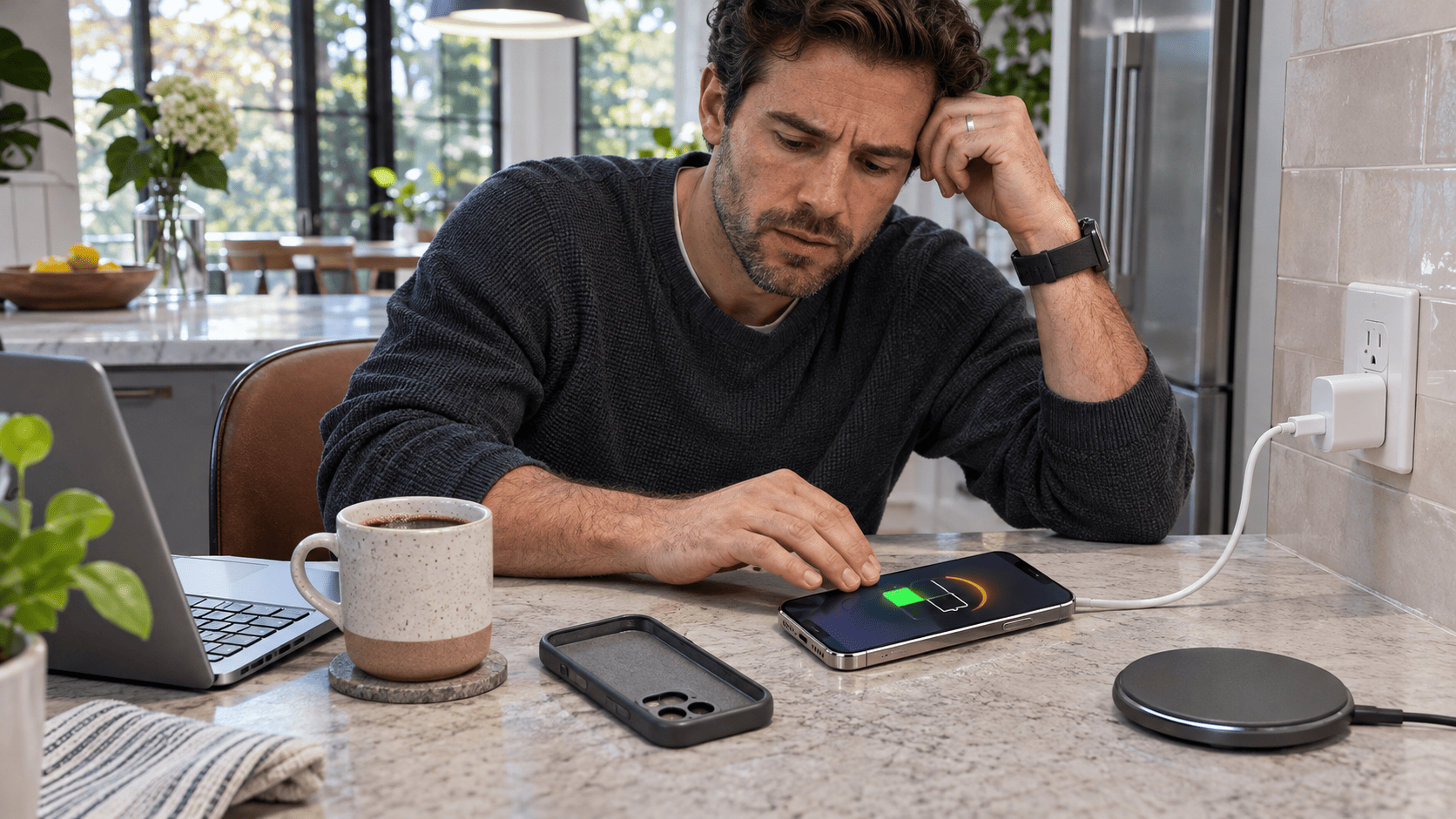
You plug in your phone before bed, pick it up 20 minutes later and notice the back feels noticeably warm. Is the battery failing—or is that simply what charging does? Some warmth during charging is normal, particularly during fast charging or heavy phone use, but excessive heat can slow charging, shorten battery life and sometimes point to a damaged cable, blocked airflow or battery problem.
A Slightly Warm Phone Is Usually Normal
Charging a lithium-ion battery is not perfectly efficient.
Some of the electrical energy entering the phone becomes heat.
Apple explicitly says an iPhone can become slightly warmer while charging, while Samsung says both a Galaxy device and its charger can increase in temperature during normal charging.
The important distinction is between:
a phone that feels comfortably warm;
and a phone that becomes unusually hot, uncomfortable to hold or starts displaying temperature warnings.
Modern phones monitor their own temperature and can reduce charging speed or stop charging when conditions become too hot.
That behavior is usually protection working—not evidence that the charger has suddenly failed.
Fast Charging Can Produce More Heat
Modern phones can accept much more charging power than older devices.
That is convenient because a short charging session can restore a large amount of battery.
But higher power can also produce more heat.
Apple says iPhone charges rapidly until around 80%, then reduces charging speed to limit battery stress and heat.
Samsung similarly identifies fast charging as one situation where a Galaxy device may naturally become warmer.
So if your phone feels warmest during the first part of a fast-charge session and then cools as charging slows, that pattern is not necessarily unusual.
The Phone May Slow Charging on Purpose
This surprises people because the charging problem can look random.
Yesterday the phone charged quickly.
Today it reaches 78%, becomes warm and suddenly crawls toward 100%.
That may be deliberate.
Apple says iPhone can slow or temporarily pause charging when its temperature moves outside the preferred range, then resume automatically after cooling.
Google says Pixel phones can also reduce or pause charging when they become too warm, and some Pixel battery-protection features can limit charging to roughly 70%–80% under prolonged high-temperature charging conditions.
Samsung provides similar thermal protection and says charging speed can fall—or charging can stop—when the device becomes too hot.
So a phone refusing to charge quickly while hot may actually be protecting itself.
Using the Phone While Charging Can Make It Much Hotter
Charging already creates heat.
Now add:
gaming;
video calls;
navigation;
high-brightness video;
camera use;
large downloads;
or heavy multitasking.
The processor, screen, cellular modem and battery can all be working at once.
Apple says processor-intensive apps, games, camera functions and high-quality video can reduce charging speed.
Samsung also warns that using demanding apps while charging can increase device temperature and recommends closing running apps if the phone becomes excessively hot.
If your goal is fast charging, putting the phone down can be more effective than buying an even more powerful charger.
Poor Cellular Signal Can Add Heat Too
A phone working hard to maintain a weak cellular connection can consume additional power.
Google specifically notes that poor wireless or mobile connectivity can increase power consumption during charging.
That means a phone charging in:
an underground parking garage;
a remote area;
a building with weak signal;
or a moving vehicle
may run warmer than the same phone charging at home on strong Wi-Fi.
The charger may not be the real reason.
The radio system may be working harder in the background.
Wireless Charging Usually Creates More Heat
Wireless charging is convenient because there is no cable to connect.
But transferring energy through electromagnetic induction introduces additional inefficiency.
That can mean more heat than an equivalent wired charging session.
Google advises keeping Pixel phones cool during wireless charging, removing incompatible or thick cases when charging is slow, and ensuring good alignment on the charger.
Samsung similarly warns that cases, magnetic accessories or foreign metallic objects between the device and wireless charging pad can contribute to overheating.
If your phone becomes much hotter wirelessly than it does with a cable, try:
removing the case;
checking charger alignment;
removing metallic accessories;
and charging in a cooler location.
Your Phone Case Can Trap Heat
Some cases are thick enough to reduce heat dissipation.
That does not mean everyone should charge a phone without a case.
But if your device repeatedly becomes unusually hot while charging, removing the case temporarily is a reasonable troubleshooting step.
Google recommends removing a case when overheating affects wireless charging, while Samsung gives similar advice when a case contributes to heat buildup.
If the phone becomes dramatically cooler without the case, you have learned something useful.
Do Not Charge a Phone Under a Pillow
A phone needs somewhere for heat to escape.
Putting it beneath:
a pillow;
blanket;
mattress;
or pile of clothing
can trap heat around both the device and charger.
A hard bedside table or other open surface allows much better airflow.
Samsung specifically recommends charging on a hard, flat surface and avoiding prolonged body contact with a warm device or charger.
Your bed may be convenient.
It is not an ideal charging surface.
A Hot Car Is One of the Worst Charging Environments
Imagine a phone mounted on the dashboard.
Navigation is running.
The screen is bright.
Mobile data is active.
The phone is fast charging.
Sunlight is hitting the device.
That combines several heat-producing factors at once.
Apple says iPhone is designed for operation in ambient temperatures from 32°F to 95°F (0°C to 35°C) and warns that operating or charging outside the recommended range can affect performance and battery life.
Google and Samsung also advise avoiding charging in direct sunlight or hot vehicles.
If your dashboard-mounted phone starts overheating, moving it away from direct sunlight can make a significant difference.
What Happens When an iPhone Gets Too Hot?
Apple says an iPhone that exceeds its normal temperature range can automatically:
stop charging;
dim the display;
close some apps;
or show a temperature warning.
Charging resumes after the device cools.
That means an iPhone stopping around 80% on a hot day may not have a broken battery.
It may simply be limiting charging because of temperature.
Move it into a cooler environment and give it time.
Do not put it in a freezer.
What Happens When an Android Phone Gets Too Hot?
Behavior varies by manufacturer.
Pixel phones may pause charging to protect the battery and resume when temperatures fall.
Samsung Galaxy devices can:
reduce screen brightness;
limit performance;
close apps;
stop charging;
and in some cases temporarily disable network functions while cooling.
Again, those changes can be annoying.
But they are also signs that built-in thermal protection is responding.
The Charger and Cable Matter
A hot phone does not always mean the battery itself is the source.
The problem can be:
a damaged cable;
poor connection;
contaminated charging port;
incompatible charger;
or damaged adapter.
Samsung says damaged or incompatible charging accessories can cause charging problems and overheating, while Apple advises discontinuing use of damaged cables and connectors.
Inspect the charging equipment.
Look for:
fraying;
bent connectors;
discoloration;
cracks;
loose plugs;
or unusual heating concentrated at one connector.
If the cable is damaged, replacing it is cheaper than risking the phone.
Heat Concentrated at the USB Port Deserves Attention
If the entire phone becomes mildly warm during charging, that is one pattern.
If one small area around the charging port becomes extremely hot, that is different.
Samsung specifically warns that a damaged cable or charging port can cause overheating near the USB connector and recommends replacing damaged cables or obtaining service.
Apple similarly advises disconnecting a cable if the connector becomes warm and checking it for debris or damage.
Do not keep wiggling a damaged plug until charging works.
A poor electrical connection can generate heat.
Lint in the Charging Port Can Cause Problems
Phones live in pockets.
Pockets contain lint.
Over time, compacted debris can prevent a USB-C or Lightning plug from seating correctly.
Samsung lists dust and foreign material in the charging port among common causes of charging problems.
Inspect the port under good light.
Do not jam:
pins;
paper clips;
needles;
or other metal objects
inside the connector.
Follow the manufacturer's cleaning instructions or have the port serviced.
Damage caused while aggressively cleaning a charging port can turn a small problem into a repair.
Moisture Can Stop Charging
Many modern phones include moisture detection in the charging port.
Samsung says a Galaxy device may temporarily refuse wired charging when moisture is detected to protect the phone.
If that happens, allow the port to dry naturally in a ventilated area.
Do not force charging.
Do not use extreme external heat.
And do not assume water resistance means the charging connector can safely operate while wet.
Is Overnight Charging Dangerous?
For a modern healthy phone using appropriate charging equipment, leaving it connected overnight is not automatically harmful.
Apple says iPhone automatically manages charging and stops actively charging when the battery is full, resuming when necessary. Its Optimized Battery Charging feature can also reduce the time the battery spends fully charged.
Pixel offers similar charging optimization features designed to reduce time spent at a full charge.
The bigger concern is heat.
Charging overnight under bedding, in direct sunlight or with damaged equipment is a very different situation from charging on an open bedside table with appropriate accessories.
Does Charging to 100% Damage the Battery?
Not instantly.
Lithium-ion batteries naturally age with use and charging cycles.
However, heat and long periods at high charge levels can contribute to battery aging.
That is why manufacturers increasingly provide charging optimization.
Apple supports Optimized Battery Charging and charge limits on compatible models.
Google offers Charging Optimization and an 80% charging option on supported Pixel devices.
You do not need to panic every time the battery reaches 100%.
The useful principle is simpler:
avoid unnecessary heat.
When Is Phone Heat Actually Concerning?
Pay more attention when the phone:
becomes too hot to comfortably hold;
repeatedly shows temperature warnings;
shuts down because of heat;
stops charging every time you connect it;
develops heat concentrated around the charging port;
has a visibly damaged cable or connector;
starts swelling;
or becomes much hotter than it did under the same conditions previously.
A sudden change is especially useful evidence.
If the same charger, phone and routine were cool last month but now become excessively hot every night, investigate rather than accepting it as normal aging.
A Swollen Battery Is Not Normal
One warning sign deserves special attention.
If the phone's:
screen begins lifting;
back cover separates;
case suddenly looks swollen;
or the body appears distorted,
stop treating it as an ordinary charging issue.
Google's current Pixel battery guidance says a swollen battery can lift the screen or enclosure and specifically warns users not to press it back into place, pry open the device or attempt a DIY repair.
The safest response is professional repair or proper battery recycling according to the manufacturer's guidance.
Do not puncture a swollen lithium-ion battery.
Do Not Cool an Overheated Phone in the Freezer
The phone is hot.
The freezer is cold.
The idea seems logical.
It is not a good one.
Extreme rapid temperature changes can create condensation and expose electronics to moisture.
Manufacturers recommend moving an overheated device to a cooler environment and allowing it to cool naturally. Apple specifically advises moving a hot iPhone out of direct sunlight and waiting before using it again.
Remove the charger.
Stop demanding apps.
Take off a heat-trapping case if appropriate.
Then wait.
The Five-Minute Troubleshooting Test
If your phone suddenly becomes hot while charging, try this:
Unplug it.
Close demanding apps.
Move it away from sunlight or other heat sources.
Remove the case temporarily.
Inspect the cable, adapter and charging port.
Allow the phone to cool naturally.
Then reconnect it using a compatible charger on a hard, open surface.
If the phone now charges normally, the problem may have been environmental or workload-related.
If it rapidly becomes excessively hot again, stop repeating the test and investigate the hardware or charger.
When Should You Seek Repair?
Consider manufacturer or qualified repair support when:
the battery or enclosure appears swollen;
the charging port shows physical damage;
the phone overheats repeatedly under light use;
charging repeatedly stops because of temperature;
the phone becomes unusually hot with multiple known-good chargers;
battery life suddenly collapses;
or the device displays persistent temperature warnings.
Google recommends professional support for swollen batteries and persistent power issues, while Samsung recommends service when overheating or charging problems continue after basic troubleshooting.
A battery is a consumable component.
Eventually, replacement may be more sensible than constantly adapting your life around a failing one.
So Why Is Your Phone Hot While Charging?
Usually because charging itself produces heat—and fast charging, wireless charging, heavy apps, poor signal, thick cases or hot surroundings can add even more.
A mildly warm phone is generally normal.
A phone that slows or pauses charging because it is hot may simply be using its built-in battery protection. Apple, Google and Samsung all document thermal charging controls that reduce or stop charging until the device cools.
The warning signs are different:
extreme heat;
a damaged cable;
heat concentrated around the charging port;
repeated temperature shutdowns;
or a swollen phone.
If that happens, do not solve the problem by continuing to charge it in a colder room every night.
Find the cause.
Sometimes the solution is as easy as removing a thick case or putting down a game while charging.
Sometimes it is a $20 cable.
And sometimes the battery is telling you that it is time for service.
SEO Keywords
phone gets hot while charging, phone overheating while charging, iPhone hot while charging, Android phone hot charging, phone gets hot fast charging, wireless charging overheating, phone charging slowly because hot, charging paused temperature, battery overheating phone, charger gets hot, swollen phone battery, phone hot at USB port
Suggested Internal Links
Why Your iPhone Battery Is Draining Faster After an Update
Your Internet Is Fast. So Why Is the Wi-Fi Terrible in One Room?
Can You Put a Power Bank in Checked Luggage? The Airport Rule That Catches Travelers
AI Agents Are Now Breaking Into Business Systems: Cybersecurity Just Changed
Computers & Technology
Lifestyle
Your Phone Is Hot While Charging. Is That Normal?
You plug in your phone.
Twenty minutes later, the back feels surprisingly hot.
Should you unplug it?
Sometimes warmth is completely normal—especially with fast or wireless charging.
But there are several signs you should not ignore:
a charging port that becomes extremely hot;
repeated temperature warnings;
charging that constantly stops;
or a phone that is physically starting to swell.
And one common charging habit can make heat much worse without you realizing it.
Reader Question
Does your phone become noticeably hotter when you use wireless charging instead of a cable?
Research Notes
Apple says an iPhone may become slightly warm during charging. If temperature becomes excessive, charging can slow or pause automatically and resume after the device cools. Apple recommends operating and charging iPhone in appropriate ambient temperatures and avoiding prolonged exposure above 95°F (35°C).
Google says Pixel phones may warm while charging and can pause charging when they become too hot. Charging optimization can also limit charging under prolonged hot conditions to protect battery health.
Samsung says some heat during charging is normal, while high temperature can reduce charging speed or stop charging. Samsung identifies demanding apps, incompatible or damaged chargers, hot surroundings, wireless-charging obstructions and charging-port issues as potential contributors to overheating.
Google warns that a swollen battery can physically lift the screen or enclosure. Users should not press the device back together, pry it open or attempt to repair a swollen battery themselves.
Consumer Safety Note
Stop charging a phone that is visibly swollen, physically damaged, smoking, producing an unusual odor or becoming dangerously hot. Do not puncture or attempt to repair a lithium-ion battery yourself. Follow the phone manufacturer's service and recycling guidance.
phone overheating while charging, iPhone hot while charging, Android phone hot charging, phone charging slowly because hot, wireless charging heat, fast charging phone hot, battery overheating, phone charger overheating, swollen phone battery
Smartphones, Phone Battery, Charging, iPhone, Android, Battery Safety, Wireless Charging, Fast Charging, Consumer Technology, Everyday Problems