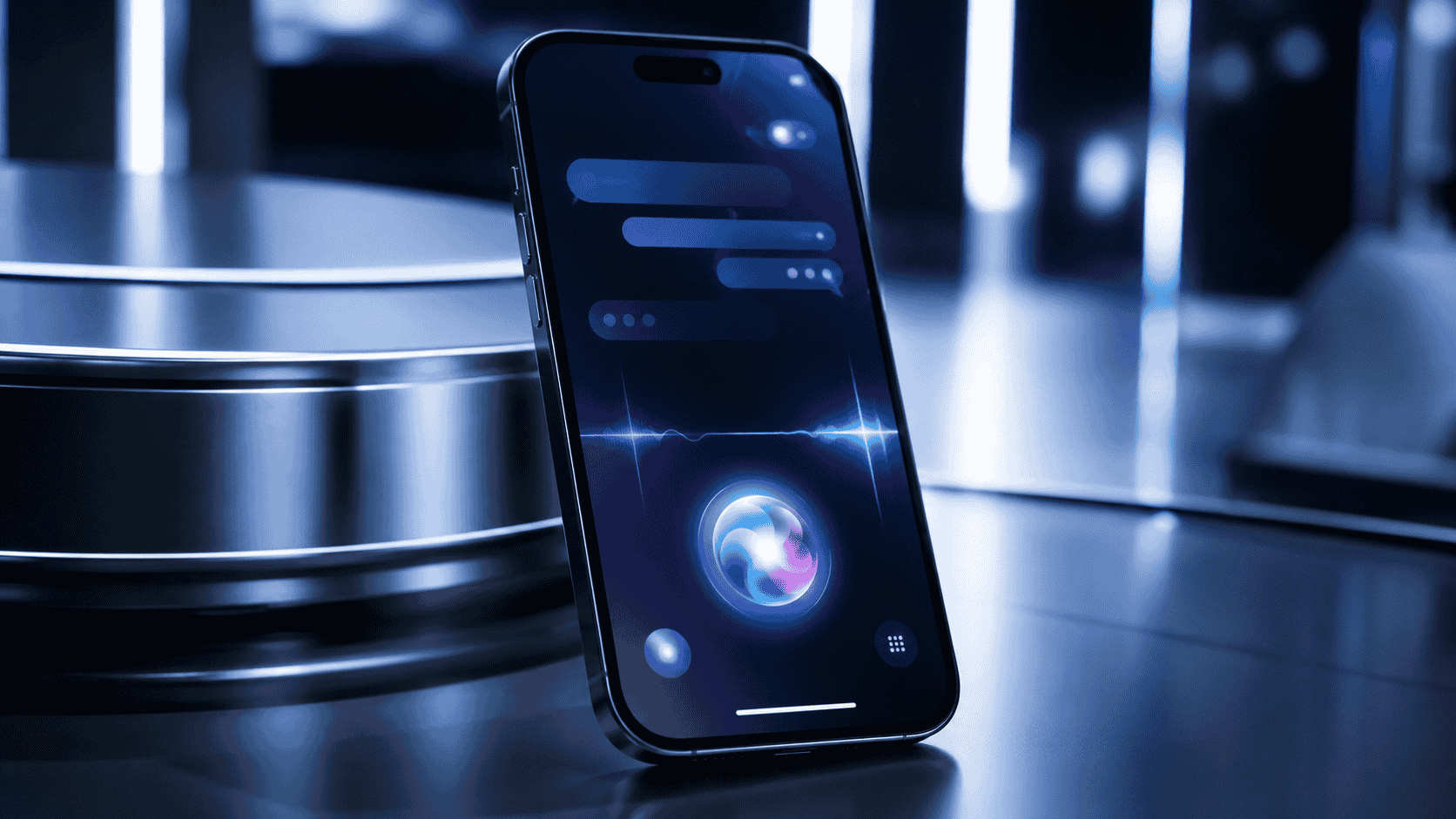
iOS 27: Expected Features, Siri AI Changes and Supported iPhones
Apple’s iOS 27 is shaping up to be one of the biggest iPhone updates in years, mainly because of one major change: Siri AI.
Instead of being only a basic voice assistant, Siri is becoming a more conversational, personal and app-aware AI assistant. Apple says iOS 27 is coming this fall, while Siri AI will arrive in English later this year on supported devices.
Key Takeaways
iOS 27 is expected to launch publicly in fall 2026.
Siri AI is the biggest new feature in iOS 27.
Siri AI will be more conversational and will understand personal context across apps.
Apple says Siri AI will be available in English first, with more languages later.
iOS 27 supports iPhone 11 and newer, plus iPhone SE 2nd generation and later.
Apple Intelligence and Siri AI require newer hardware, including iPhone 15 Pro, iPhone 15 Pro Max, all iPhone 16 models and later.
Some advanced Siri AI features will only work on the newest high-performance iPhones.
Siri AI will not initially be available on iOS and iPadOS in the European Union, according to Apple.
Why iOS 27 Matters
For years, iPhone users have complained that Siri felt behind modern AI assistants. It could set alarms. It could send messages. It could answer simple questions. But it often struggled with natural conversations, complex requests and real personal context. iOS 27 changes that direction.
Apple is now presenting Siri AI as a more capable assistant powered by Apple Intelligence. Apple says Siri AI can answer richer questions, hold more natural conversations and work through a dedicated Siri app.
That means iOS 27 is not just another yearly iPhone update. It is Apple’s attempt to make AI feel useful inside the iPhone itself.
What Is Siri AI?
Siri AI is Apple’s new AI-powered version of Siri.
Apple describes it as a more personal and more powerful assistant that can understand natural conversation, answer open-ended questions, help with creative ideas and take action across apps.
This is important because Siri is no longer only about voice commands.
It is becoming more like a smart assistant that understands what you are doing and helps you complete tasks.
For example, Apple says Siri AI can help you:
Ask open-ended questions
Brainstorm ideas
Search for old photos
Find emails
Pull up saved notes
Take actions in apps
Edit a message
Add a song to a playlist
Create reminders
Create calendar events
Send emails
Continue conversations in a dedicated Siri app
That is a major shift.
Old Siri mostly waited for direct commands.
New Siri AI is designed to understand context.
Siri AI and Personal Context
One of the biggest Siri AI changes is personal context.
Apple says Siri AI can find relevant answers from your own information, such as photos, email, notes and other content on your iPhone.
This could make Siri far more useful in daily life.
Instead of asking:
“Open Photos.”
You may be able to ask something like:
“Show me the photos from my beach trip last summer.”
Instead of searching your inbox manually, you may be able to ask:
“Find the email with my flight confirmation.”
Instead of digging through Notes, you may ask:
“Find the note where I saved my project idea.”
That is the real promise of iOS 27.
Not just voice control.
Personal assistance.
Siri AI Can Take Action in Apps
Apple says Siri AI can take actions in apps like Messages, Music and Reminders based on what you are doing in the moment.
This could be one of the most practical features for normal users.
You may be able to ask Siri AI to:
Create a reminder
Send a message
Resume a podcast
Add a photo to an album
Create a note
Rotate a photo
Add a calendar event
Call someone
Send an email
This matters because many AI assistants are good at answering questions but weak at doing real tasks.
Apple’s advantage is that Siri AI lives inside the iPhone and connects with apps people already use.
New Siri App
Apple says iOS 27 includes a dedicated Siri app where users can see and revisit their Siri AI conversations.
This is a big change.
Previously, Siri mostly felt like a temporary voice interaction.
You asked something.
You got an answer.
Then the interaction disappeared.
With a Siri app, Apple is turning Siri into a more permanent AI workspace.
You may be able to continue previous conversations, pin useful chats and move between devices more easily.
For students, creators, professionals and everyday iPhone users, this could make Siri AI more useful than before.
Siri Mode in Camera
Another major feature is Siri mode in Camera.
Apple says Siri mode and Visual Intelligence can let users search, ask questions and take action based on what is around them with a tap.
This means your iPhone camera may become more than a camera.
It may become a visual search tool.
You could point your camera at something and ask questions about it.
Examples may include:
What is this plant?
What food is this?
What does this label mean?
Where can I buy something like this?
Can you summarize this sign?
What object am I looking at?
This is one of the most exciting iOS 27 features because it connects AI with the physical world.
Siri AI Writing Features
Apple says Siri AI can help generate drafts from scratch, give feedback on writing and match your writing style in Messages and Mail.
This could help users write:
Emails
Messages
Notes
Social posts
Replies
Short summaries
Work drafts
For many users, this may become one of the most used Siri AI features.
Instead of opening a separate AI app, you may be able to ask Siri to help you write inside the apps you already use.
Apple Intelligence in Apps
iOS 27 also brings Apple Intelligence features into everyday apps.
Apple says the update includes improved photo editing, Image Playground improvements, smart suggestions in Messages and Mail, Call Context, smarter Safari tools and better Shortcuts automation.
Important features include:
AI photo editing
Enhanced Clean Up tool
Extend tool for photos
Spatial Reframing
Image Playground improvements
Smart suggestions in Messages and Mail
Call Context
Safari tab organization
Safari page-change alerts
Password fixes
Natural-language Shortcuts
This makes iOS 27 feel like a systemwide AI update, not just a Siri update.
Smarter Safari
Safari is also getting smarter in iOS 27.
Apple says Safari can automatically group tabs into topics and monitor pages for changes, such as price changes or restocks.
This could be helpful for:
Shopping
Research
Travel planning
Reading
Product tracking
News monitoring
For example, if you are waiting for a product to come back in stock, Safari Notify Me may alert you when the page changes.
This is useful because it turns Safari from a passive browser into a more active assistant.
Better Shortcuts
Apple says iOS 27 lets users describe a shortcut in natural language, and Shortcuts can connect actions across apps.
This could make automation easier for normal iPhone users.
Before, Shortcuts was powerful but confusing for many people.
Now you may be able to describe what you want, and iOS can help build the automation.
For example:
“When I leave work, message my family with my ETA.”
That kind of feature could make iPhone automation much more mainstream.
Child Safety Features
iOS 27 also includes new child safety tools.
Apple says parents can choose which system apps kids can use during setup, approve new websites with Ask to Browse and manage time allowances and schedules more easily.
Apple also says Communication Safety can help protect children from viewing or sharing nudity and can also intervene before children see gore or violence in shared images and videos.
These features may be important for families because many parents want stronger safety controls without needing complicated third-party apps.
Performance Improvements
iOS 27 is not only about AI.
Apple says it also includes performance improvements.
According to Apple, app launches can be up to 30% faster, new photos can load in Photos up to 70% faster and AirDrop transfers can be up to 80% faster, based on Apple’s testing.
Apple also says iOS 27 includes smoother network transitions, better Mail search, design refinements and core system improvements.
This matters because many users do not only want new AI features.
They want their iPhone to feel faster, smoother and more reliable.
Design Changes
Apple says iOS 27 includes refinements to Liquid Glass, with better readability, improved contrast, sharper app icons and a slider to customize how Liquid Glass looks.
This sounds like Apple is improving the visual design without completely changing how iPhone works.
For most users, this means the interface should look cleaner and easier to read.
Supported iPhones for iOS 27
Apple says iOS 27 is compatible with the following iPhones:
iPhone 17 Pro Max
iPhone 17 Pro
iPhone Air
iPhone 17
iPhone 17e
iPhone 16 Pro Max
iPhone 16 Pro
iPhone 16 Plus
iPhone 16
iPhone 16e
iPhone 15 Pro Max
iPhone 15 Pro
iPhone 15 Plus
iPhone 15
iPhone 14 Pro Max
iPhone 14 Pro
iPhone 14 Plus
iPhone 14
iPhone 13 Pro Max
iPhone 13 Pro
iPhone 13
iPhone 13 mini
iPhone 12 Pro Max
iPhone 12 Pro
iPhone 12
iPhone 12 mini
iPhone 11 Pro Max
iPhone 11 Pro
iPhone 11
iPhone SE 2nd generation and later
That is good news for older iPhone users.
But there is an important catch.
Not every iPhone that supports iOS 27 will get all Apple Intelligence and Siri AI features.
iPhones That Support Apple Intelligence and Siri AI
Apple says Apple Intelligence on iOS 27 is available on all iPhone 16 models and later, plus iPhone 15 Pro and iPhone 15 Pro Max.
That means Apple Intelligence and Siri AI support includes:
iPhone 17 Pro Max
iPhone 17 Pro
iPhone Air
iPhone 17
iPhone 17e
iPhone 16 Pro Max
iPhone 16 Pro
iPhone 16 Plus
iPhone 16
iPhone 16e
iPhone 15 Pro Max
iPhone 15 Pro
Older iPhones may still receive iOS 27, but they may not receive the full Siri AI experience.
This is important for buyers.
If you mainly want iOS 27 for normal system improvements, an older supported iPhone may be fine.
If you want Siri AI and Apple Intelligence, you need a newer supported model.
Advanced Siri AI Features May Need Newer iPhones
Apple says some advanced on-device model features, including expressive voices and more advanced dictation, are available on iPhone Air, iPhone 17 Pro and iPhone 17 Pro Max.
This means there may be three levels of iOS 27 experience:
First, older supported iPhones get iOS 27 system features.
Second, Apple Intelligence-supported iPhones get Siri AI and AI tools.
Third, the newest high-performance iPhones get the most advanced Siri AI features.
That is important for anyone thinking about upgrading.
Do not only ask:
“Will my iPhone get iOS 27?”
Ask:
“Will my iPhone get the iOS 27 features I actually want?”
EU and China Availability
Apple says Siri AI will not initially be available on iOS, iPadOS and watchOS in the European Union because of Digital Markets Act issues. Apple also says Siri AI and other new Apple Intelligence features will not be available in China while it works through regulatory requirements.
This matters because availability may depend on:
Device model
Region
Language
Siri language
Device language
Apple Intelligence support
Regulatory approval
So even if your iPhone supports iOS 27, some AI features may not appear immediately in your country.
Should You Upgrade to iOS 27?
Most iPhone users will probably want to upgrade when the stable public version becomes available.
You should consider upgrading if:
Your iPhone supports iOS 27
You want better performance
You want improved security
You want new Apple Intelligence features
You want Siri AI
You use Mail, Messages, Safari, Photos and Shortcuts often
You want better child safety controls
But you may want to wait a little if:
You depend on your iPhone for work
You use banking or business apps that may need compatibility updates
You are worried about early bugs
You have an older iPhone and want to see battery reports first
You do not need Siri AI immediately
For most public users, the safest choice is usually to wait for the stable release rather than installing early beta software.
Should You Buy a New iPhone for iOS 27?
You do not need to buy a new iPhone just to get iOS 27 if your current model is supported.
But if you want Apple Intelligence and Siri AI, the situation is different.
Older iPhones like iPhone 11, iPhone 12, iPhone 13, iPhone 14 and standard iPhone 15 may get iOS 27 but not the full Apple Intelligence experience.
If Siri AI is the main feature you want, then iPhone 15 Pro, iPhone 15 Pro Max, iPhone 16 models and later are the safer choices.
If you want the most advanced Siri AI features, Apple says iPhone Air, iPhone 17 Pro and iPhone 17 Pro Max support the more advanced on-device model features.
Myth vs Fact
Myth: Every iPhone that gets iOS 27 will get Siri AI.
Fact: Not every iOS 27-compatible iPhone supports Apple Intelligence and Siri AI. Apple Intelligence requires all iPhone 16 models and later, or iPhone 15 Pro and iPhone 15 Pro Max.
Myth: Siri AI is available everywhere at launch.
Fact: Apple says Siri AI is coming in English later this year and will not initially be available on iOS and iPadOS in the EU.
Myth: iOS 27 is only an AI update.
Fact: iOS 27 also includes performance improvements, child safety tools, Safari changes, Mail search improvements, design refinements and more.
Myth: Old Siri and Siri AI are basically the same.
Fact: Siri AI is designed to be more conversational, more personal and more capable of acting across apps.
Myth: You should install the beta immediately.
Fact: Beta software can have bugs. Most public users should wait for the stable release unless they understand the risks.
Why This Matters
iOS 27 matters because it may change how people use iPhones every day.
Instead of opening many apps manually, users may ask Siri AI to find information, write text, create reminders, search photos, understand what is on screen and take actions across apps.
That could make the iPhone feel less like a collection of apps and more like a personal assistant.
But the update also creates confusion.
Some iPhones get iOS 27.
Some iPhones get Apple Intelligence.
Some iPhones get the most advanced Siri AI features.
Some regions get features later.
That is why users need to check both device compatibility and feature compatibility before getting excited.
Final Thought
iOS 27 is not just about a new look.
It is about Apple trying to make Siri useful again.
For some users, it may feel like the biggest iPhone change in years.
For others, especially those on older devices, it may be a reminder that the future of iPhone is becoming more hardware-dependent.
Frequently Asked Questions
When will iOS 27 be released?
Apple says iOS 27 is coming this fall. Siri AI is coming in English later this year.
What is the biggest feature in iOS 27?
The biggest feature is Siri AI, a new Apple Intelligence-powered version of Siri designed to be more conversational, personal and capable of taking action across apps.
What is Siri AI?
Siri AI is Apple’s new AI assistant for iPhone. It can answer open-ended questions, understand personal context, take actions in apps and work through a dedicated Siri app.
Which iPhones support iOS 27?
Apple says iOS 27 supports iPhone 11 and newer, plus iPhone SE 2nd generation and later.
Which iPhones support Apple Intelligence in iOS 27?
Apple says Apple Intelligence on iOS 27 supports all iPhone 16 models and later, plus iPhone 15 Pro and iPhone 15 Pro Max.
Will iPhone 15 get Siri AI?
The standard iPhone 15 supports iOS 27, but Apple Intelligence support is listed for iPhone 15 Pro and iPhone 15 Pro Max, not the regular iPhone 15.
Will iPhone 14 get iOS 27?
Yes. Apple lists iPhone 14, iPhone 14 Plus, iPhone 14 Pro and iPhone 14 Pro Max as iOS 27-compatible devices.
Will iPhone 11 get iOS 27?
Yes. Apple lists iPhone 11, iPhone 11 Pro and iPhone 11 Pro Max as compatible with iOS 27.
Will Siri AI work in the EU?
Apple says Siri AI will not initially be available on iOS and iPadOS in the European Union, though EU users will be able to access Siri AI on macOS 27 and visionOS 27.
Should I buy a new iPhone for iOS 27?
Not necessarily. But if you want Siri AI and Apple Intelligence, you need iPhone 15 Pro, iPhone 15 Pro Max, any iPhone 16 model or later.
iOS 27, Siri AI, Apple Intelligence, iOS 27 features, iOS 27 supported iPhones, iOS 27 release date, iPhone AI features, Siri AI supported devices, iOS 27 compatibility, iPhone 17, iPhone 16, iPhone 15 Pro, Apple AI assistant, iOS 27 update, iOS 27 beta, Siri app, Visual Intelligence, Apple Intelligence iPhone




Discussion
Comments
Approved comments are published after moderation to keep discussion useful and spam-free.
No comments yet. Start the discussion below.