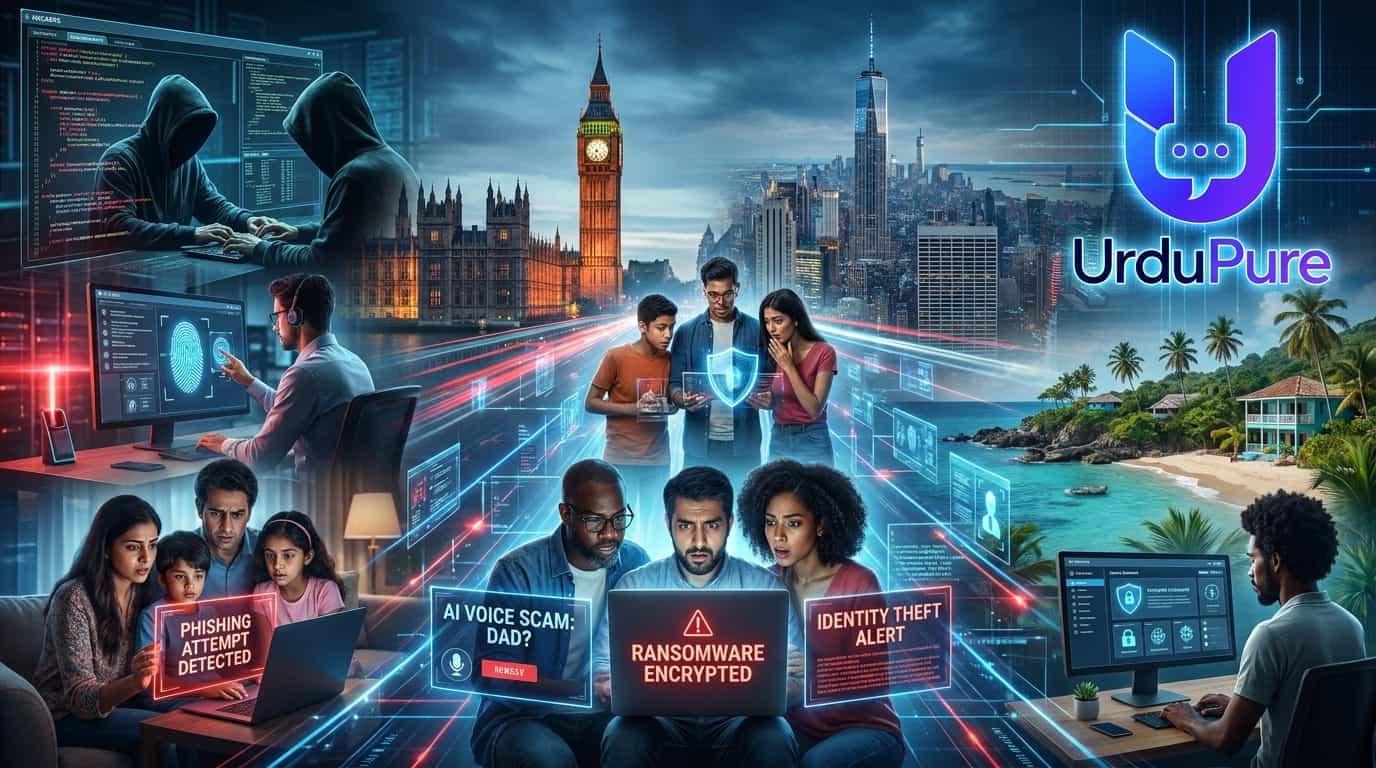
The Cybersecurity Threats Targeting Americans, Brits and Caribbean Residents in 2026 — and the Specific Steps to Stop Them
Your old defences are protecting you against old attacks. The cybercriminals of 2026 have already moved past them.
The FBI's Internet Crime Complaint Center recorded 859,532 complaints from US victims in 2024 alone — with potential losses exceeding $16 billion, a 33% increase from the year before. Identity fraud losses hit $27.2 billion in the same year, up 19% from 2023. In the UK, the picture is equally bleak: phishing was behind 93% of successful breaches against businesses, UK SMEs are losing £3.4 billion annually to inadequate cybersecurity, and the country holds the grim distinction of being one of the world's five most-targeted nations for cybercrime. In Latin America and the Caribbean, attack volume grew 60% year-over-year in 2025 as digital infrastructure expanded faster than the security to protect it.
The reason these numbers keep climbing is not that people are getting more careless. It is that the attacks are getting qualitatively harder to recognise. Artificial intelligence has deleted the "tells" that most people were trained to spot: the grammatical errors, the robotic voices, the generic greetings. Today's scams are personalised, emotionally intelligent, and — in the case of AI voice cloning — literally indistinguishable from the real thing by human ears.
Here is what is actually targeting you in 2026, and the specific, technical steps that will stop the majority of it.
1. The Five New Scam Types Hitting US and UK Populations Hardest in 2026
1. Pig Butchering 2.0 — AI-Powered Investment Fraud
"Pig butchering" — the long-con investment fraud where attackers build romantic or friendship relationships over weeks before steering victims into fake cryptocurrency platforms — has been industrialised by AI. The original version required a human operator spending hours on each target. The 2026 version uses large language models to run dozens of simultaneous "relationships," with AI-generated messages, personalised details scraped from social media, and emotionally calibrated responses that adapt to each victim's communication style.
Online investment scams generated $2.4 billion in US losses in 2025 alone, making this the highest-value fraud category per victim. The typical victim profile has shifted significantly: it is no longer predominantly elderly people. Tech-literate professionals in their 30s and 40s — people who believe they would recognise a scam — are now the most frequently targeted demographic, precisely because their digital fluency makes them more receptive to cryptocurrency investment pitches and less likely to consult family members before transferring funds.
The defence: any unsolicited contact that, over any timeframe, leads to an investment opportunity on a platform you cannot independently verify — regardless of how convincing the relationship feels — is a pig butchering operation. Verify every investment platform against FCA registers (UK), SEC EDGAR (US), or CNMV (DR) before transferring any funds. The platform being real-looking is not verification; fraudulent platforms are designed to look more legitimate than their genuine counterparts.
2. Fake Job Offer Scams — Up 108% in 2025
Fake job offer scams surged 108% in 2025, exploiting economic anxiety and the normalisation of remote work hiring. The mechanics have evolved considerably beyond the obvious "advance fee" structure. Modern fake job scams involve detailed multi-stage interview processes with AI-generated interviewers, realistic-looking company infrastructure, and "onboarding" processes designed to extract personal identification documents (passport, driving licence, National Insurance/Social Security number) before the victim realises there is no job.
In the UK, Action Fraud reported multiple operations in late 2025 where fake remote work positions were advertised on LinkedIn, Indeed, and Totaljobs, with victims completing four-stage interview processes — including video calls with deepfake "HR representatives" — before being asked to provide documents "for payroll setup." Those documents were then used for identity theft and fraudulent account opening.
The defence: legitimate employers never request passport photographs, National Insurance numbers, or bank account details before a signed offer letter and formal background check process. Any job that requests these items before you have a contract, or that was offered without you applying, is a fraud operation.
3. Impersonation Fraud — Up 92% Globally in 2025
Impersonation fraud — where criminals pose as representatives of banks, HMRC, the IRS, the NHS, utility companies, or legitimate retailers — grew 92% globally in 2025. The key 2026 evolution is the use of spoofed caller ID combined with AI voice synthesis. The caller appears to be calling from your bank's genuine number. The voice sounds professional and follows the script of a legitimate fraud prevention call. They know your name, your partial account number (often obtained from data breaches), and details about recent transactions.
In the UK, the most common variant is the "authorised push payment" (APP) scam: the fake bank representative convinces you that your account has been compromised and that you need to move your funds immediately to a "safe account." The safe account is theirs. UK Finance estimated that APP scams cost British consumers £459 million in the first half of 2025. The US equivalent — typically framed as IRS enforcement, Social Security suspension, or bank fraud investigation — generated $924.5 million in losses from tech support scam variants alone in 2023, with the figure significantly higher in 2025.
The defence: hang up and call the organisation back using the number on their official website or the back of your card. No legitimate bank, government agency, or utility company will object to this. Any caller who pressures you not to hang up, who tells you not to tell anyone what you are doing, or who asks you to move money to a new account is conducting a scam regardless of how genuine they sound.
4. QR Code Phishing ("Quishing") — Bypassing Email Filters
Email security filters have become sophisticated enough to catch the majority of traditional phishing links. Attackers responded by embedding malicious URLs inside QR codes — either in emails, physical flyers placed in public spaces (car parks, restaurants, hospital waiting rooms, parking meters), or replacement stickers placed over legitimate QR codes. Because QR codes are images rather than clickable links, email security tools cannot scan the URL they contain. When you scan a malicious QR code, you are directed to a convincing phishing page that captures your credentials — for your bank, your email account, or a delivery service — before you realise anything is wrong.
Quishing attacks increased dramatically through 2025, with security companies reporting it as one of the fastest-growing phishing vectors. Physical QR code attacks in public spaces are of particular concern in the UK and US, where QR code menus, payment terminals, and information boards have become normalised — and where a small sticker placed over a legitimate code can redirect thousands of victims before being discovered.
The defence: before scanning any QR code in a public space, physically inspect whether a sticker has been placed over the original. After scanning, check the URL in your browser before entering any credentials — legitimate payment and banking URLs use their main domain, not a random string of letters. Never scan a QR code sent in an unsolicited email claiming to be from a bank or delivery service.
5. Multi-Stage Smishing — The Parcel Delivery Evolution
SMS phishing (smishing) has evolved from a one-step credential theft into a multi-stage process that is considerably harder to detect. The 2026 version begins with a plausible text message — a delivery notification from Royal Mail, Evri, UPS, or FedEx, or a council tax or utility payment reminder — that directs you to a convincing fake website. That site does not immediately ask for payment. Instead, it first validates your genuine address and name (which it already has from data broker databases), presents your plausible "account," and only then requests payment card details. The multi-step personalisation creates a sense of legitimate interaction that significantly lowers victim vigilance compared to the blunt credential-request smishing of previous years.
"Generative AI has deleted the red flags. Today's attackers use consumer-grade AI tools, often costing less than £30 a month, to create scam communications indistinguishable from genuine ones. The 'tell-tale signs' we trained people to look for in 2022 no longer reliably exist."
— Ashdown Solutions cybersecurity advisory, May 2026
2. AI-Generated Voice Phishing: The Threat Defeating Even Tech-Savvy Targets
How the Technology Works
Voice cloning has reached what Fortune described in December 2025 as the "indistinguishable threshold" — the point at which human listeners can no longer reliably distinguish a cloned voice from an authentic one. The McAfee research team found that just three seconds of audio is sufficient to create a voice clone with 85% accuracy. Twenty seconds of audio produces a clone most listeners find indistinguishable from the original. Every voicemail you have left, every video you have appeared in on social media, every podcast appearance, every Zoom recording — all of it is training data available to anyone with a browser and a $60/month fraud kit subscription.
Deepfake-enabled vishing attacks surged by over 1,600% in Q1 2025 versus Q4 2024 in the US alone. The FTC logged over 250,000 complaints about AI voice scams in Q1 2026 alone, and AI voice cloning scams have cost elderly Americans an estimated $2.3 billion in 2026 through May. The global figure is projected to reach $8 billion by year-end. Seventy percent of organisations report being victims of voice phishing attacks. Vishing now accounts for over 60% of all phishing-related incident response engagements.
The "Grandparent Scam" — Now Cloned
The most common consumer-targeting variant uses a cloned voice of someone the victim knows and trusts. The attack pattern: your phone rings, you hear what is unmistakably your adult child's voice, clearly distressed, explaining they have been in an accident or arrested and need money transferred immediately. The call is sometimes followed by a secondary call from a fake police officer or lawyer who explains the "release" process. The urgency is manufactured; the instruction not to tell other family members is deliberate; the voice is real enough to pass any test a shocked parent would apply in the moment.
Imposter scams — where someone pretends to be a family member — are now the most reported fraud complaint to the FTC, with cases jumping 19% to 1 million in 2025 and losses climbing past $3.5 billion. Spoofed caller ID, showing your child's actual name and number, appears in more than 80% of voice phishing attacks.
The Business Executive Variant
The corporate version is higher-value. In the now-documented Hong Kong case, a company lost $25 million after employees were convinced by a deepfake video call impersonating their CFO to authorise wire transfers. AI-powered business email compromise (BEC) generated $2.77 billion in losses in the US in 2024. Deloitte's Center for Financial Services projects that AI fraud losses in the United States could reach $40 billion annually by 2027. The 2026 International AI Safety Report confirmed that the tools powering these attacks are free, require no technical expertise, and can be used anonymously.
How to Defeat Voice Cloning Scams
Technical detection is increasingly unreliable in 2026. Audio analysis tools exist, but they are not accessible in the seconds you have to make a decision during a call. The only reliable defence is procedural:
Establish a family safe word. Choose a word or short phrase that would be known only to your immediate family. Any call claiming to be from a family member in an emergency must include the safe word to be treated as genuine. This single measure defeats the grandparent scam entirely — the attacker does not know the word, and will typically abandon the call immediately when asked for it.
Never act on urgency. The pressure to act immediately — to transfer money before asking anyone, to not tell other family members — is the structural mechanism of the scam, not a feature of genuine emergencies. Any request that requires you to act within minutes before consulting anyone is a scam, regardless of who the caller appears to be.
Verify through a separate channel. If you receive a call from someone you know with an urgent financial request, hang up and call them back on a number you have independently verified. If the caller claims to be from your bank, hang up and call the number on the back of your card. This breaks the attack chain completely.
Reduce your voice footprint. Social media videos and voice notes are the raw material for cloning. Consider whether public-facing social media posts containing your voice are necessary. Voicemail greetings should be kept short and generic.
3. Dominican Republic-Specific Scams Targeting the Diaspora Sending Remittances
The Scale of the Threat
The Dominican Republic leads the Caribbean in fraudulent digital transactions — in the first half of 2025, 8.6% of all digital transaction attempts in the country were suspected of being fraudulent, more than three times the 2.8% Latin American average, according to TransUnion's H2 2025 Fraud Report. Identity-based fraud is growing despite overall transaction fraud declining slightly — 14.2% of digital account creation attempts and 12.6% of financial transactions were suspected fraudulent in the same period.
For the Dominican diaspora in the US, UK, and Spain — which collectively sends more than $10 billion in annual remittances to the Dominican Republic, making it one of the country's primary economic pillars — these statistics translate into a specific and well-documented attack surface. Cybercriminal networks in the Dominican Republic have been documented targeting diaspora remittance flows specifically, exploiting the combination of large transfer volumes, family trust relationships, and the practical difficulty of verifying emergencies across international distance.
The Remittance Interception Scam
The most prevalent DR-specific threat is remittance interception through WhatsApp impersonation. A family member's WhatsApp account is compromised — often through a SIM swap or phishing link sent in a group chat — and used to contact diaspora relatives abroad with urgent requests for money transfers. Because the messages come from the genuine WhatsApp number of a known family member, and because the WhatsApp profile photo and chat history are intact, the impersonation is highly convincing. The request is typically framed as a medical emergency, a legal problem, or a utility disconnection, with urgency that discourages calling to verify.
Latin America and the Caribbean banking trojan malware — specifically mobile banking trojans targeting the WhatsApp platform — increased significantly in 2025, according to Recorded Future's 2026 Insikt Group analysis. These trojans capture WhatsApp credentials and session tokens, enabling attackers to operate genuine WhatsApp accounts in real time while the account holder is unaware.
The Clandestine Call Centre Operations
Organised cybercrime networks operating from clandestine call centres have been a persistent feature of Dominican Republic-based fraud. In December 2025, the Dominican Republic Public Prosecutor's Office secured convictions against 17 individuals involved in Operation Discovery 2.0 — a transnational criminal network that used illegal call centres to impersonate legitimate service companies and target retired and elderly US citizens for financial fraud and identity theft. The network had been active since 2023. Earlier PEDATEC (the Dominican prosecutor's anti-cybercrime office) investigations dismantled a network that moved an estimated $250 million through remittance companies and cryptocurrency.
Protection for the DR Diaspora
Establish verbal code words for family emergencies. The same safe-word principle that defeats AI voice cloning is equally effective against WhatsApp impersonation. Agree with family in the Dominican Republic on a word or phrase that must appear in any urgent money request. This should be known only within the immediate family and should not be anything that could be inferred from social media.
Always call back on a number you know. Whenever you receive a WhatsApp money request — even from a known number — call that person on their voice number before sending any funds. If they do not answer and the request remains urgent, call another family member who is physically close to them to verify. The extra five minutes is an absolute defence.
Use official, established remittance platforms exclusively. Western Union, Remitly, Wise, and Unitransfer are licensed and regulated. Cryptocurrency transfers and informal channels eliminate your ability to reverse or dispute a fraudulent transaction. Never transfer money through a method suggested by the person claiming to need it.
Enable WhatsApp two-step verification. In WhatsApp Settings → Account → Two-step verification, set a six-digit PIN. This prevents attackers from registering your phone number on a new device even if they have access to your SIM or your verification code.
Warn elderly family members in the DR about reverse-direction scams. DR-based residents are targeted by call centres impersonating foreign companies, lottery organisations, and government agencies — often in Spanish. Educate older relatives that no legitimate lottery requires an advance payment, no government agency demands cryptocurrency, and no bank will ask for full PIN and card number over the phone.
"In the first half of 2025, 32% of consumers in the Dominican Republic reported being targeted by fraud via email, online, phone, or text. Identity-based fraud continues to grow, driven by large numbers of exposed identities and increasingly sophisticated cybercriminals."
— TransUnion H2 2025 Major Fraud Trends Report
4. The Password Manager and 2FA Setup That Stops 95% of Account Compromises
Microsoft has publicly reported that more than 99.9% of compromised accounts did not have multi-factor authentication enabled. Microsoft also estimates that enabling MFA deters 96% of bulk phishing attempts and 76% of targeted account attacks. Two-factor authentication stopped 42% of cyberattacks in 2024, preventing an estimated $14.7 billion in losses. The average cost of implementing 2FA is $15 per user per year. These numbers make the setup described below the single highest-return-on-time security investment available to any individual or family.
Step 1: Install a Password Manager Today
Password reuse is the root cause of the majority of personal account compromises. When a website you use suffers a data breach — which happens to major platforms multiple times per year — your email address and password hash are added to a criminal database. Automated tools then try that password against hundreds of other services within hours. If you use the same or similar password across your email, banking, and social media, a single breach cascades into a full account compromise.
A password manager generates and stores unique, random, 20+ character passwords for every site you use. You remember one strong master password; the manager handles the rest. The top options in 2026, across all three target markets:
Bitwarden — free tier is genuinely feature-complete, open source (independently audited), works across all devices and browsers. The strongest recommendation for cost-conscious users.
1Password — £2.99/month, industry-leading family sharing, excellent Travel Mode for crossing international borders safely, strong breach notification integration.
NordPass — competitive pricing, zero-knowledge architecture, strong for users already in the NordVPN ecosystem.
Apple Passwords / iCloud Keychain — free, deeply integrated into iOS/macOS/Safari, and meaningfully better than no password manager. The limitation is cross-platform use on non-Apple devices.
Setup takes 20–30 minutes. Import your existing passwords, let the manager flag reused and weak ones, and change the most sensitive accounts first (email, banking, social media). Within an hour, your credential risk is reduced by an order of magnitude.
Step 2: Enable 2FA on Every Account That Supports It — Starting With These Five
Two-factor authentication means that even if an attacker has your password, they cannot log in without a second factor that only you possess. The priority order for enabling it:
Your primary email account. This is the master key to every other account — whoever controls your email controls your password reset chain for everything else. Enable 2FA here before anywhere else.
Your bank and financial accounts. Most UK banks and US banks now mandate 2FA for online access. Check that it is active on every account and that the 2FA method is an app (not SMS — see below).
Your primary social media accounts. WhatsApp, Facebook, Instagram, and TikTok accounts are all routes for impersonation fraud if compromised. All support authenticator app 2FA.
Your cloud storage. Google Drive, iCloud, and OneDrive contain documents, photos, and personal data that are as valuable to identity thieves as your bank account.
Your phone carrier account. A compromised carrier account is the vector for SIM swap attacks — where an attacker convinces your carrier to transfer your number to their SIM, giving them access to all your SMS-based 2FA codes. Enable 2FA and a PIN on your carrier account immediately.
Step 3: Use an Authenticator App, Not SMS
SMS-based 2FA is significantly weaker than app-based 2FA. SIM swapping — where attackers bribe or social-engineer carrier employees into redirecting your number — specifically targets SMS codes. Google Authenticator, Microsoft Authenticator, and Authy generate time-based one-time passcodes (TOTP) locally on your device, without any network transmission that can be intercepted. The code changes every 30 seconds and is only valid for that window.
For maximum security: hardware security keys — physical USB or NFC devices such as a YubiKey — provide phishing-resistant authentication that app-based 2FA does not. Even if you enter your credentials on a convincing phishing site, the hardware key will not authenticate to a domain that is not the genuine site. UK IT leaders are increasingly adopting this approach: 37% now believe hardware security keys and passkeys are the most secure authentication option, up from 17% in 2024. For high-value accounts (business email, banking, cryptocurrency), a hardware key is the gold standard.
Step 4: Check Your Exposure at Have I Been Pwned
Visit haveibeenpwned.com and enter your email addresses. The site — run by Troy Hunt, a respected security researcher — checks your addresses against a database of over 14 billion credentials from known data breaches. If your email appears in a breach, change the password for that service immediately (using your password manager to generate a new unique one) and enable 2FA if you have not already. Set up breach alerts at the same site to receive notification if your address appears in future breaches.
5. What to Do in the First 24 Hours if You've Been Compromised
Speed matters. The majority of damage from an account compromise — fraudulent transactions, further account takeovers, identity document theft — occurs within the first 24 hours. Most people waste that window by panicking or being unsure what to do first. Here is the sequence.
Hour 0–1: Contain the Breach
Identify exactly what was compromised. Was it your email? A social media account? A bank account? A payment service? The response differs by what was accessed.
Change the compromised password immediately — from a device you are confident is uninfected (a different device than the one used for the breach if possible).
Change the passwords of any accounts that shared the same password, or that can be accessed via the compromised email or platform. Do this immediately — attackers run automated credential-stuffing tools that test compromised passwords against major services within minutes of obtaining them.
Enable 2FA on the compromised account if it was not already active. If it was active and was bypassed, this suggests a SIM swap (contact your carrier immediately) or a device compromise (see below).
Log out all active sessions. Every major platform — Google, Facebook, Apple, Microsoft — has a "Log out all other devices" option in security settings. Use it immediately to invalidate any existing sessions the attacker may still have open.
Hour 1–4: Financial Protection
If a bank account was accessed: Call your bank immediately using the number on the back of your card. Report the compromise, request a temporary freeze on outgoing payments, and ask them to review recent transactions. In the UK, report to Action Fraud (actionfraud.police.uk / 0300 123 2040). In the US, file a complaint with the FBI's Internet Crime Complaint Center (ic3.gov) and the FTC (reportfraud.ftc.gov).
If a payment card was compromised: Cancel the card immediately through your banking app. You cannot cancel a card quickly enough by waiting for a human — use the app. Dispute any fraudulent transactions immediately; the window for chargeback claims is time-limited.
If personal identity documents were sent to a fraudster: In the UK, contact CIFAS (cifas.org.uk) to place a protective registration on your credit file — this flags to lenders that your details may have been compromised and requires additional verification before new accounts can be opened in your name. In the US, place a free one-year fraud alert at any of the three major credit bureaus (Experian, Equifax, TransUnion) — the bureau you contact is required to notify the others. Consider a credit freeze, which is stronger: it prevents any new credit from being opened in your name regardless of who applies.
Hour 4–24: Investigate and Protect the Chain
Check your email's sent folder and connected apps. Attackers who access an email account frequently set up forwarding rules to silently copy your ongoing email to their own address, and may have used your account to send phishing messages to your contacts. Check sent mail, check mail rules/filters, and check connected third-party apps — revoke anything you do not recognise.
Alert your contacts if your email or WhatsApp was used to send fraudulent messages. Your friends, family, and colleagues may have received phishing links or money requests from your compromised account. A brief message warning them not to act on anything they received from you in the last 24–48 hours protects them.
Run a malware scan on all your devices. If you clicked a link or downloaded an attachment, there may be an infostealer or keylogger running on your device that is harvesting credentials as you try to recover. Malwarebytes (free version) provides a reliable on-demand scan. If malware is found, reset the device to factory settings rather than trying to clean individual files.
Document everything for reporting. Screenshot the fraudulent messages, note the phone numbers or email addresses involved, and preserve any transaction records. This documentation is required for police reports, insurance claims, and bank fraud disputes.
The Specific Reporting Channels by Country
United States: FBI Internet Crime Complaint Center — ic3.gov. FTC fraud reporting — reportfraud.ftc.gov. Identity theft — identitytheft.gov (provides a personalised recovery plan). Social Security fraud — ssa.gov/fraud.
United Kingdom: Action Fraud — actionfraud.police.uk / 0300 123 2040. CIFAS protective registration — cifas.org.uk. Financial Ombudsman Service for unresolved bank disputes — financial-ombudsman.org.uk. NCSC reporting — report.ncsc.gov.uk.
Dominican Republic: PEDATEC (Procuraduría Especializada Contra Crímenes y Delitos de Alta Tecnología) — the specialist cyber crime prosecution unit. Report online at ministeriopublico.gob.do. For bank fraud, contact Superintendencia de Bancos — sb.gob.do.
The One Truth That Drives Every Defence
Every scam on this list — every AI voice clone, every fake job offer, every remittance intercept, every credential theft — shares a single mechanism: it exploits the gap between what you verify and what you assume. The fraudulent call sounds genuine, so you do not verify. The WhatsApp comes from a known number, so you do not call back. The investment platform looks professional, so you do not check the register. The job interview was convincing, so you do not wait for a written offer before providing documents.
The 2026 cybercriminal toolkit is built to make assumption feel reasonable. The defence is to build verification habits so automatic that they override the manufactured urgency and manufactured credibility the attackers depend on. That means a family safe word, a password manager, app-based 2FA on every sensitive account, and a firm rule: any financial transaction or document submission requested by anyone, through any channel, gets a verbal verification call through a number you independently hold before it happens.
These are not complicated steps. They take an afternoon to implement. And they protect against the vast majority of what is coming for you in 2026.
Key Takeaways
The FBI received 859,532 cybercrime complaints in the US in 2024, with losses exceeding $16 billion — a 33% year-on-year increase. UK cybercrime cost SMEs £3.4 billion annually.
The five highest-risk threats for US and UK individuals in 2026: AI-powered pig butchering investment fraud, fake job scams (up 108%), impersonation fraud (up 92%), QR code phishing, and multi-stage personalised smishing.
Voice cloning has crossed the "indistinguishable threshold." Three seconds of audio creates an 85% accurate voice clone. Deepfake vishing surged 1,600% in Q1 2025. The only defence is procedural — safe words and separate-channel verification.
8.6% of digital transactions in the DR are suspected fraudulent — over three times the Latin American average. WhatsApp impersonation targeting remittance senders is the primary diaspora threat. Always call back before sending money.
99.9% of compromised accounts did not have MFA enabled. Install a password manager (Bitwarden is free). Enable authenticator-app 2FA on email, banking, social media, cloud storage, and your phone carrier account — in that order.
If compromised: change all shared passwords immediately, log out all sessions, freeze cards, contact your bank, place a CIFAS registration (UK) or credit freeze (US), check email rules for forwarding, and alert contacts — all within the first four hours.
This article draws on FBI IC3 Annual Reports, the Verizon 2025 Data Breach Investigations Report, TransUnion H2 2025 Major Fraud Trends Report, Recorded Future's 2026 Latin America and the Caribbean Cybercrime Landscape report, Vectra AI's 2026 AI scams analysis, McAfee deepfake research, Javelin's 2025 Identity Fraud Study, and reporting from Action Fraud, NCSC, FTC, and Dominican Republic PEDATEC. It is intended as educational content and does not constitute professional cybersecurity advice. Individuals and businesses with elevated risk profiles should consult a qualified cybersecurity professional for personalised assessment.





Discussion
Comments
Approved comments are published after moderation to keep discussion useful and spam-free.
No comments yet. Start the discussion below.