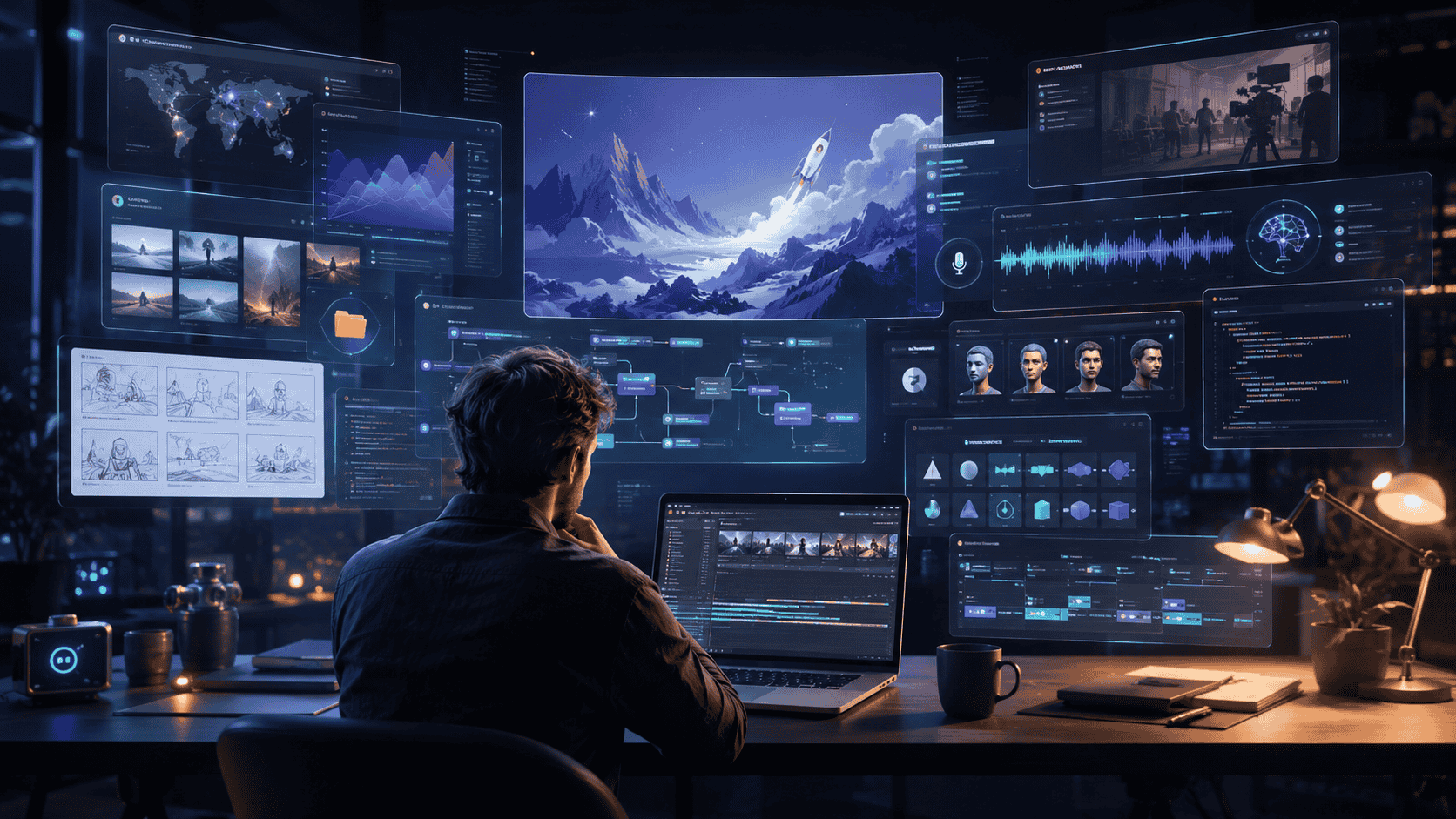
A few years ago, a serious animated explainer required a small production chain.
Someone wrote the script. Someone built the storyboard. A designer made the visual system. A motion artist animated the scenes in After Effects. A narrator recorded the voice-over. An editor synced sound, music and timing. By the time the final video appeared online, the work had passed through several hands.
That model still exists, and for high-end documentary work it still matters. But a new workflow is emerging. It is smaller, faster and less dependent on a traditional production team.
A solo creator can now write a tightly timed explainer, generate visual assets, assemble scenes in code, animate them with reusable patterns, add voice-over, mix music and render a finished MP4. The tools are not perfect. They still need taste, planning and technical judgment. But the barrier has dropped enough that one person can now build a newsroom-style motion explainer from a laptop.
That shift matters because the internet is hungry for visual explanation. Politics, finance, science, war, technology and business all move too fast for plain text alone. Viewers want maps, charts, cutouts, movement, narration and a sense that complex events are being organized in front of them.
The new question is not whether AI can make videos. It can. The harder question is whether creators can use it with enough editorial discipline to make videos that are accurate, watchable and worth trusting.
Explainers are built before they are animated
The biggest mistake in AI video production is assuming the tool is the beginning.
It is not.
A good explainer starts with structure. The voice-over is not just narration. It is the timeline. Every sentence has a job. Every beat needs a visual. If the line says oil prices rose, the viewer needs to see a number, a chart, a tanker, a market signal or some other visual anchor. If the line says debt is rising, the visual should not be decorative. It should help the viewer feel the scale of the claim.
That is why the first real production document is not the animation file. It is a beat-by-beat visual plan.
A strong plan usually includes the narration line, the foreground image, the midground object, the background, the motion note, the chart or number to appear, and the transition into the next scene. The uploaded production notes describe that idea clearly: the voice-over lines act as the timeline, and each beat maps to foreground, midground and background assets before the scenes are assembled.
This is where the creator becomes an editor, not just a tool user.
AI can help generate assets. Code can animate them. Voice tools can read the script. But the human decision is still central: what is the argument, what should the viewer understand, and what visual will make that point cleaner rather than noisier?
The locked visual system is the secret
Many amateur AI videos fail because every scene looks like it came from a different world.
One scene uses a glossy cinematic render. The next uses flat illustration. Another looks like stock photography. Then a chart appears in a different color palette. The video may be technically impressive, but it feels visually broken.
Professional explainers avoid that by locking the visual system early.
That means choosing a consistent background style, a limited palette, repeated fonts, shared textures and a clear rule for how people, objects, maps and numbers appear. Once the system is fixed, the viewer stops noticing the format and starts following the story.
The production approach in the uploaded material uses a shared background across scenes, with different foreground and midground cutouts changing from beat to beat. That gives the video a continuous editorial feel instead of a pile of disconnected images.
This is one reason outlets such as Vox became so influential in digital explanation. Their videos often feel like moving magazine pages: cutouts, labels, charts, maps, layered images and deliberate pacing. The design does not try to look like cinema. It tries to make information legible.
For solo creators, that is a useful lesson. Do not chase every visual trick. Build a repeatable system.
Why Remotion changes the production logic
Traditional motion design tools are visual-first. You drag elements, set keyframes, adjust timelines and make the composition work by hand.
Remotion approaches video differently. It lets creators make videos programmatically using React. That means scenes can be built as components, animations can be reused, and a finished video can be rendered from code. Remotion’s own documentation describes project creation through command-line setup and includes support for Remotion Studio, rendering, audio and video workflows. (Remotion)
For a creator, this changes the economics of repetition.
Once a scene structure exists, it can be reused. A cutout can spring into frame. A chart can animate up. A number can count in. A red marker stroke can sit behind a figure. A transition can repeat across scenes without rebuilding the effect from scratch every time.
That is not only faster. It creates consistency.
The uploaded workflow describes using three layers: a background, midground elements such as black-and-white halftone characters, and foreground structures or objects. It also describes using spring and interpolation style animation to create pop-up effects, staggered timing and layered movement.
The key is that the creator does not need to think of every animation as a one-off. The creator can think in systems: scene components, reusable motion rules, shared visual grammar.
That is closer to how a digital newsroom should work.
Claude Code turns plain instructions into production work
The next major shift is the coding assistant.
Claude Code is described by Anthropic as an agentic coding tool that can read a codebase, edit files, run commands and integrate with development tools. It can work in the terminal, IDE, desktop app and browser, and it can help build features, fix bugs and automate development tasks. (Claude Platform Docs)
In a video workflow, that matters because the creator can describe a scene in plain English and have the coding assistant create or modify the underlying files.
Instead of manually writing every animation function, a creator can ask for a scene where the White House appears first, two political figures spring in afterward, and red marker strokes sit behind the cutouts. The assistant can generate the code, run the project, fix errors and expose controls for scale, x-position and y-position so the creator can fine-tune the frame.
That does not remove the need for judgment. The first version will often look wrong. The figure may be too large. The background may sit too high. The timing may feel rushed. The scene may need manual adjustment.
But the loop becomes faster: prompt, preview, adjust, save, render.
This is not the end of craft. It is a different kind of craft.
The skill shifts from "can I operate every button in After Effects?" to "can I design a clear visual system, describe the scene precisely, catch what looks wrong and refine it until the timing works?"
MCP makes the workflow more connected
The Model Context Protocol, or MCP, is another important piece of the new production stack. The official MCP documentation describes it as an open-source standard for connecting AI applications to external systems, including local files, databases, tools and workflows. It compares MCP to a USB-C port for AI applications because it creates a standardized way to connect tools. (Model Context Protocol)
For video creators, the practical promise is simple: fewer disconnected tools.
Instead of jumping manually between an image generator, an upscaler, a file folder and a code editor, a creator can connect tools so the assistant can help pull assets into the project. In the uploaded workflow, MCP connectors are used to connect external image and enhancement tools into the production environment, allowing generated cutouts and assets to be organized into scene folders.
That is powerful, but it also needs caution.
Any workflow that connects AI tools to external systems should be treated carefully. Permissions matter. File access matters. Prompt injection and tool misuse are real concerns in AI-assisted development environments. The smarter approach is to connect only what is needed, keep sensitive data out of experimental projects and review what the assistant changes before trusting the output.
The future of AI production will depend not only on speed, but on safe tool design.
The voice-over still controls the edit
A polished explainer needs a strong voice track.
The narration controls pace. It tells the animation when to move, when to pause, when to reveal a number and when to let the viewer breathe. Weak narration makes even beautiful visuals feel empty. Overwritten narration makes the video feel crowded.
AI voice tools have improved enough that creators can now generate usable narration without booking a studio. ElevenLabs describes its text-to-speech capability as turning text into lifelike spoken audio with intonation, pacing and emotional awareness, with models supporting multiple languages and voice styles. (ElevenLabs)
That can make production faster, especially for drafts, prototypes and smaller channels. A creator can test a 45-second explainer, hear the rhythm, revise the script and regenerate the voice-over before locking the final edit.
But narration should not be treated as a button press.
The best voice-over writing is concise. It avoids clutter. It gives the viewer time to absorb the visual. It does not force five facts into one sentence. It understands that the screen is doing part of the work.
For AI-generated narration, creators also need to check rights, disclosure expectations, platform rules and commercial permissions. ElevenLabs states that users retain ownership of generated audio, while commercial use requires a paid plan and ownership of the input IP rights. (ElevenLabs)
That is important for anyone publishing monetized work.
The new studio is a folder structure
One of the least glamorous parts of the workflow may be the most important: folders.
A serious explainer needs organization. Each scene should have its own folder. Shared backgrounds should be easy to locate. Foreground objects, character cutouts, charts, audio files, music and rendered outputs should not be scattered across a desktop.
The uploaded production notes describe a scene-based folder structure where each scene contains its own cutouts and assets, while a shared background appears across the project.
That may sound ordinary. It is not.
Good structure is what allows AI-assisted production to stay manageable. A coding assistant can only help well when the project is understandable. If every file is named "final-final-new2.png," automation collapses. If every scene has a clear folder, the assistant can locate files, update components and stitch sequences together more reliably.
The new studio is not a room full of machines. It is a clean project architecture.
AI does not remove editing
The impressive part of this workflow is speed. The dangerous part is also speed.
When a creator can make a finished explainer quickly, the temptation is to skip the slow work: fact-checking, sourcing, visual accuracy, pacing, rights review and editorial restraint.
That is where AI video can go wrong.
A political explainer, for example, should not use dramatic visuals to make uncertain claims feel proven. A finance explainer should not turn speculation into fact. A war or diplomacy explainer should be careful with maps, flags, dates, casualty figures and attribution. A chart should be sourced. A number should be verified. A claim should not become true just because the animation makes it look convincing.
The more polished the video, the higher the responsibility.
This is especially true for Vox-style explainers because the format carries authority. A clean chart, a confident narrator and smooth motion can make a weak argument feel stronger than it is. That is why editorial discipline matters as much as design discipline.
The creator has to ask: does this visual clarify the claim, or manipulate the viewer into accepting it?
The best AI videos will still feel human
The future of explainer production is not a flood of generic AI visuals. Viewers will tire of that quickly.
The better future is smaller editorial teams using AI to do the mechanical work faster while spending more time on judgment. A researcher can build a timeline. A writer can sharpen the argument. A designer can lock the visual system. A coding assistant can assemble the structure. A voice tool can create a draft narration. The human team can then refine, verify and publish.
For solo creators, the opportunity is even larger. Someone with strong taste and discipline can now compete with far bigger teams on speed and presentation. That does not mean they can skip standards. It means standards become their advantage.
The internet does not need more motion for the sake of motion. It needs explanation that respects the viewer’s intelligence.
What creators should learn first
A beginner may think the first skill is coding. It is not.
The first skill is writing a clear beat.
One sentence, one visual idea. Then another. Then another.
After that comes visual consistency: a shared background, a defined palette, a limited font system, repeated motion rules and a small library of reusable scene types.
Then comes production control: organized folders, clean file names, versioning, previewing, adjusting and rendering.
Then comes sound: voice-over, music, silence, pacing and final mix.
Coding helps, but the editorial logic comes first.
A creator who understands that can build a powerful workflow. A creator who does not will simply generate more clutter faster.
The real change
The old explainer studio was built around specialized labor.
The new one is built around systems.
A script becomes a timeline. A storyboard becomes a data plan. A visual style becomes a reusable component library. A scene becomes code. A voice-over becomes the pacing track. The final video becomes something that can be revised, re-rendered and improved without starting from zero.
That is the real change.
AI is not replacing the need for taste, structure or truth. It is lowering the cost of execution for people who already understand them.
The creators who win will not be the ones who generate the most assets. They will be the ones who can turn complex ideas into clean stories, build a visual system that holds together and use AI without letting it take over the editorial judgment.
That is how a laptop becomes a studio.
And that is why the next great explainer channel may not come from a newsroom at all. It may come from one disciplined creator who knows exactly what to say, what to show and when to cut.




Discussion
Comments
Approved comments are published after moderation to keep discussion useful and spam-free.
No comments yet. Start the discussion below.